Seasonal planning guide
Christmas To-Do List: A Week-by-Week December Plan (Free Printable)
Spread Christmas over December instead of cramming it into the last three days. A week-by-week plan from late November to New Year, a free printable checklist with a column for who does what, and a short list of things you can drop.
Published Updated
Christmas rarely goes wrong because of one big task. It goes wrong because thirty small ones land in the same three days, and one person ends up remembering all of them. A week-by-week list fixes the timing, and a Who column fixes the second problem.
The December plan at a glance
| When | Focus | Key tasks |
|---|---|---|
| Late November | Decide | Dates and hosting, budget, gift list with a buyer for each gift, travel and time off |
| Week 1 (Dec 1–7) | Order and post | Online gifts, cards and parcels (check last posting dates), decorations, pre-order the main dish |
| Week 2 (Dec 8–14) | Plan the food | Finish gifts, menu and shopping list, confirm guests and allergies, wrap as you go |
| Week 3 (Dec 15–21) | Prepare | Drinks and long-life food, guest space, wrap the rest, cook and freeze ahead |
| Christmas week (Dec 22–23) | Fresh and final | Fresh food shop, cooking timeline, quick tidy, charge devices |
| Dec 24–26 | Be there | Cook, eat, rest. Only tasks that cannot move |
| After (Dec 27–Jan 1) | Close it out | Returns, thank-yous, tree and recycling, notes for next year |
Free printable Christmas to-do list
One page from late November to New Year. Each period has four or so suggested tasks, a blank line or two for your own, a checkbox and a Who column. In the corner there is a line for your budget, and at the bottom a "Not this year" box for the things you decide to drop. Print one for the fridge, or one per adult.
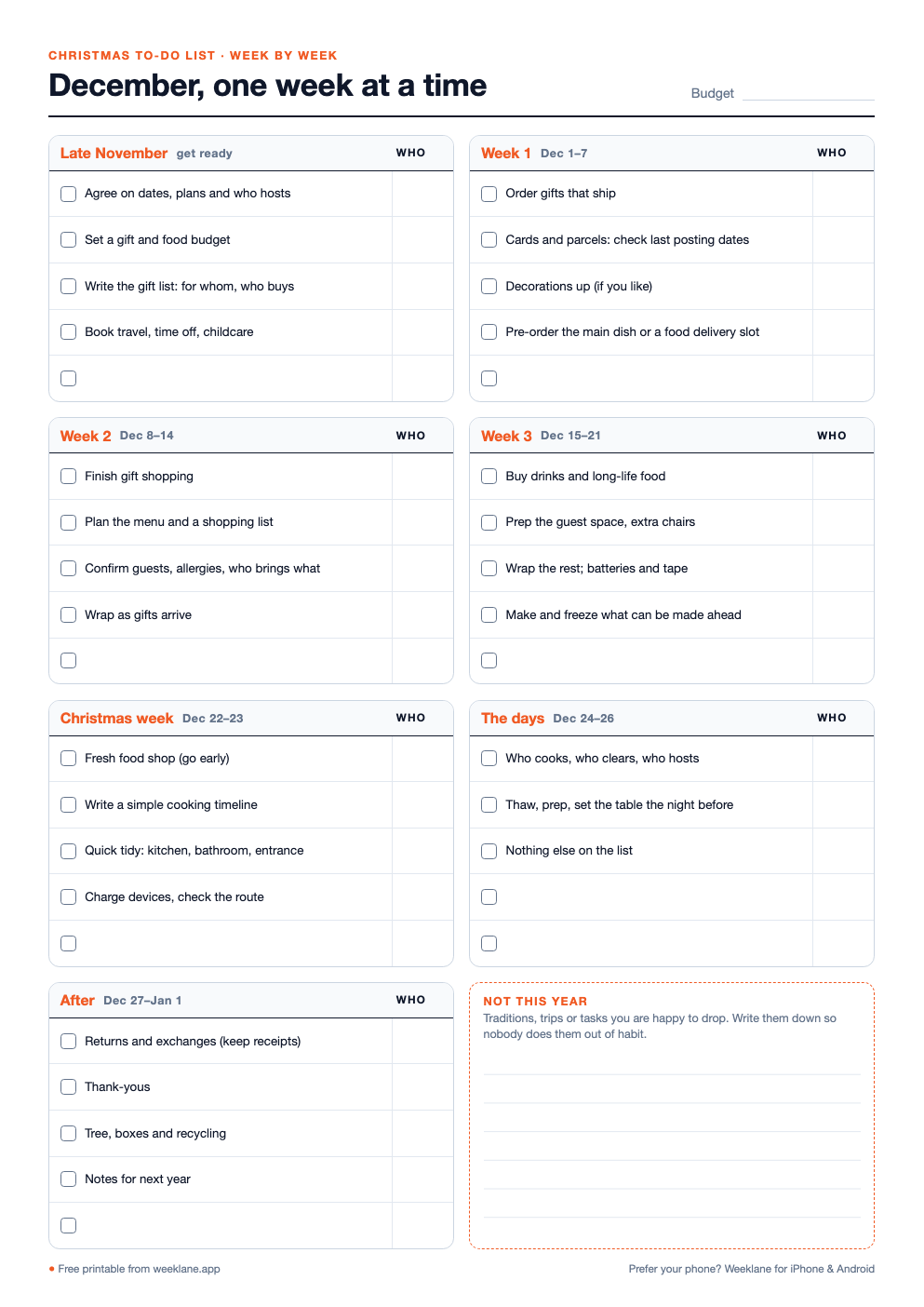
Christmas to-do list: week-by-week December checklist
One page from late November to New Year: sections for each December week, Christmas week, Dec 24–26 and after, with suggested tasks, blank lines, a "Who" column and a "Not this year" box.
How to make your Christmas to-do list in 6 steps
- Brain-dump everything once. Gifts, food, travel, cards, decorations, school and work events, visits, the cleaning before guests arrive. Get it all on one list before you sort anything.
- Cross out what you will not do this year. Do this before you plan, not on December 23. Every dropped task is time you get back. Write the dropped ones in the "Not this year" box so nobody does them out of habit.
- Give each task a week. Work backwards from the day it must be done. Anything that ships or posts goes early; anything fresh goes late; everything else goes into the quieter weeks 2 and 3.
- Give each task one name. Not "we", one person. The person who owns a task also remembers it, buys what it needs and says if it is not going to happen.
- Put this week's tasks on actual days. A list for "week 2" is easy to ignore. On Sunday, move the week's tasks onto specific days, two or three a day, next to everything else you have on.
- Check in once a week. Ten minutes on Sunday: what got done, what moves, what gets dropped. That small review is what stops things piling up in the last few days.
Week by week: what to do when
Late November: decide
- Agree on where you will be, on which days, and who hosts.
- Set a budget for gifts and for food, so the list has limits from the start.
- Write the gift list: who it is for, the idea, who buys it, and a price cap.
- Book travel, time off and childcare for school holidays.
Week 1 (Dec 1–7): order and post
- Order gifts that need shipping. Delivery gets slower as December goes on.
- Check your postal service's last recommended posting dates. International deadlines usually come first.
- Write and send cards, if you send them.
- Pre-order the main dish or book a grocery delivery slot if you want one; popular slots go early.
Week 2 (Dec 8–14): plan the food
- Finish gift shopping, and wrap gifts as they arrive instead of all at once.
- Plan the menu for the main days and turn it into a shopping list, split into long-life and fresh.
- Confirm who is coming, any allergies or diets, and who brings what.
Week 3 (Dec 15–21): prepare
- Buy drinks and everything on the long-life list.
- Get the guest space ready: bedding, towels, extra chairs.
- Wrap what is left, and buy batteries and tape before you need them.
- Cook and freeze what can be made ahead.
Christmas week (Dec 22–23): fresh and final
- Do the fresh food shop, early in the day if you can.
- Write a simple cooking timeline: what goes in when, and who does it.
- Do a quick tidy of the rooms guests will see. Not a deep clean.
December 24 to 26: be there
Keep this part of the list almost empty: who cooks, who clears, and the cooking timeline. If a task can move to the 27th, move it. These are the days you planned everything else for.
After (Dec 27–Jan 1): close it out
- Returns and exchanges, while you still have the receipts.
- Thank-you messages.
- Tree, boxes and recycling.
- Notes for next year: what worked, what you would drop, what to buy earlier. Keep them with the list.
Who does what: split it before December
In many homes one person carries the Christmas list in their head: who still needs a gift, when the parcel must be posted, whether there is enough of everything. Writing a name next to each task moves that work out of one head and onto the page.
- Split by area, not by task. One person owns gifts for their side of the family, the other owns food. Areas are easier to remember than a long list of single tasks.
- Give kids real jobs. Wrapping, writing cards, setting the table, choosing one dish. Small, finished tasks beat "help out".
- Include the thinking work. Planning the menu or keeping the gift list is a task. Give it a name like any other.
- Keep the everyday chores going. December is busy enough without the dishes becoming a fight. If you already have a chore chart for couples, keep it running; if not, agree on the basics for the month.
Be present: what to drop
The quickest way to a calmer December is a shorter list. Pick two or three of these, or write your own in the "Not this year" box:
- One of the parties or events you go to out of habit.
- Home-made everything. Buy the dessert, the cards or the wrapping help.
- Gifts for every adult. Suggest a gift draw, or gifts for the children only.
- The deep clean before guests. A tidy entrance, kitchen and bathroom is enough.
- A full schedule on the main days. Leave at least one afternoon with nothing planned.
Keep the Christmas list in an app
Paper is great for the first planning session. It is less good in a shop when you cannot remember whether someone else already bought the gift. A to-do app keeps the list with you, and a shared one shows everyone who buys what.
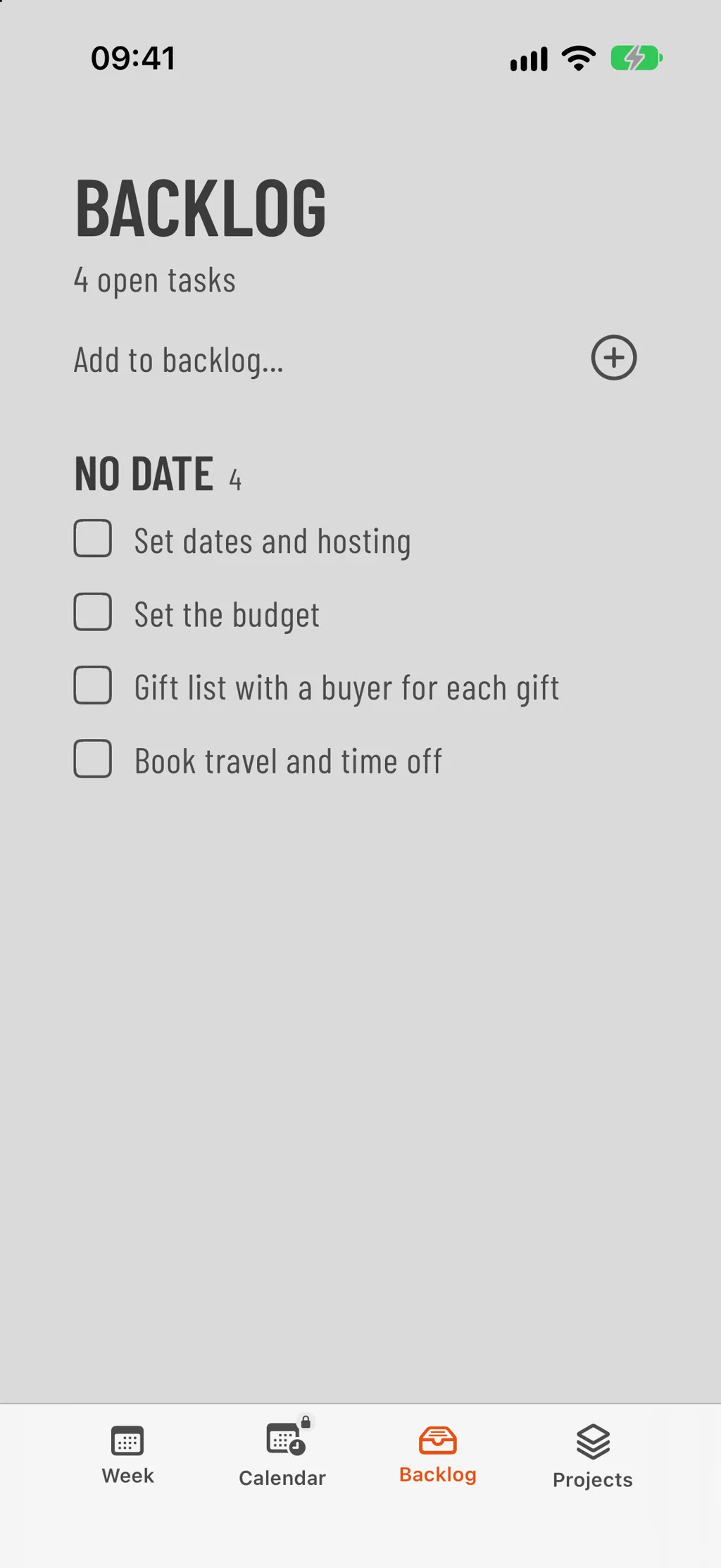
In Weeklane, the weekly view is where December happens: each Sunday, put the week's Christmas tasks on the days you will do them, next to everything else. For the whole family's list, create a shared project called Christmas and invite the others. Each task can have Assigned to, a due date and a reminder, so everyone sees who is buying what and by when. Creating and sharing projects is part of Weeklane Pro; the people you invite take part for free. Tasks in a shared project do not repeat, so for the weekly chores that keep going through December, use repeating tasks on your own week (also Pro).
Next year, start from your notes: copy the list, change the dates and drop what you crossed out. A Sunday reset is a good moment for the weekly check-in, and the five-minute weekly planning routine works just as well in December as in any other month.
Frequently asked questions
When should I start my Christmas to-do list?
Late November is a good time. That leaves four weeks to spread the work over, and enough time to order and post things before delivery gets slow. If you start later, do the same steps in fewer weeks and drop more.
What should be on a Christmas to-do list?
Gifts (who for, who buys, budget), cards and posting, travel and time off, decorations, the menu and food shopping, preparing the home for guests, the plan for the main days, and after-Christmas tasks such as returns and thank-yous. Add a short list of what you will not do this year.
How do I stop everything piling up right before Christmas?
Give every task a week instead of a deadline of "before Christmas". Order and post early, plan food in the second week, prepare the home in the third, and keep only fresh food and the cooking plan for the last days. A ten-minute weekly check-in catches what slipped.
How do we share Christmas tasks fairly in a family?
Write one name next to every task, including planning work such as the gift list and the menu. Splitting by area (for example gifts and food) is easier than splitting single tasks. Give children small, real jobs such as wrapping or setting the table.
Is there an app for a shared Christmas to-do list?
Yes, any shared to-do app works. In Weeklane you can create a shared project for Christmas where each task has an owner, a due date and a reminder, and put your own tasks on the days of your week. Shared projects are part of Weeklane Pro and invited members join for free. Tasks in a shared project do not repeat.
Is the printable Christmas to-do list free?
Yes. The week-by-week December checklist is a free PDF in A4 and US Letter, with no email or sign-up.
Put December on your week
Weeklane is a weekly to-do planner for iPhone, iPad, Mac and Android. The weekly planner is free; Weeklane Pro adds shared projects, repeating tasks and reminders, with a 7-day free trial.


Scan to download
Related guides
- Chore Chart for Couples: Free Printable and a Fair Way to Split Chores — split the everyday chores fairly, with a free printable chart.
- Sunday Reset Routine: A 15-Minute Weekly Checklist — a 15-minute weekly reset that keeps December on track.
- Weekly Planner App: How to Plan Your Week in 5 Minutes — plan any week in five minutes.
- The 1-3-5 Rule: Free Template and How to Use It — keep busy December days to one big, three medium and five small tasks.
- Guides