Weekly planning guide
Weekly Planner App: How to Plan Your Week in 5 Minutes
Published Updated
A five-minute Sunday routine that turns a messy pile of tasks into a calm, day-by-day week.
Short answer: a weekly planner app shows the next seven days as seven short daily lists, so you can spread tasks across the week and spot an overloaded day before it arrives. Planning takes about five minutes: brain-dump everything, pick three to five priorities, give each a day, mark one anchor task per day, and review on Sunday.
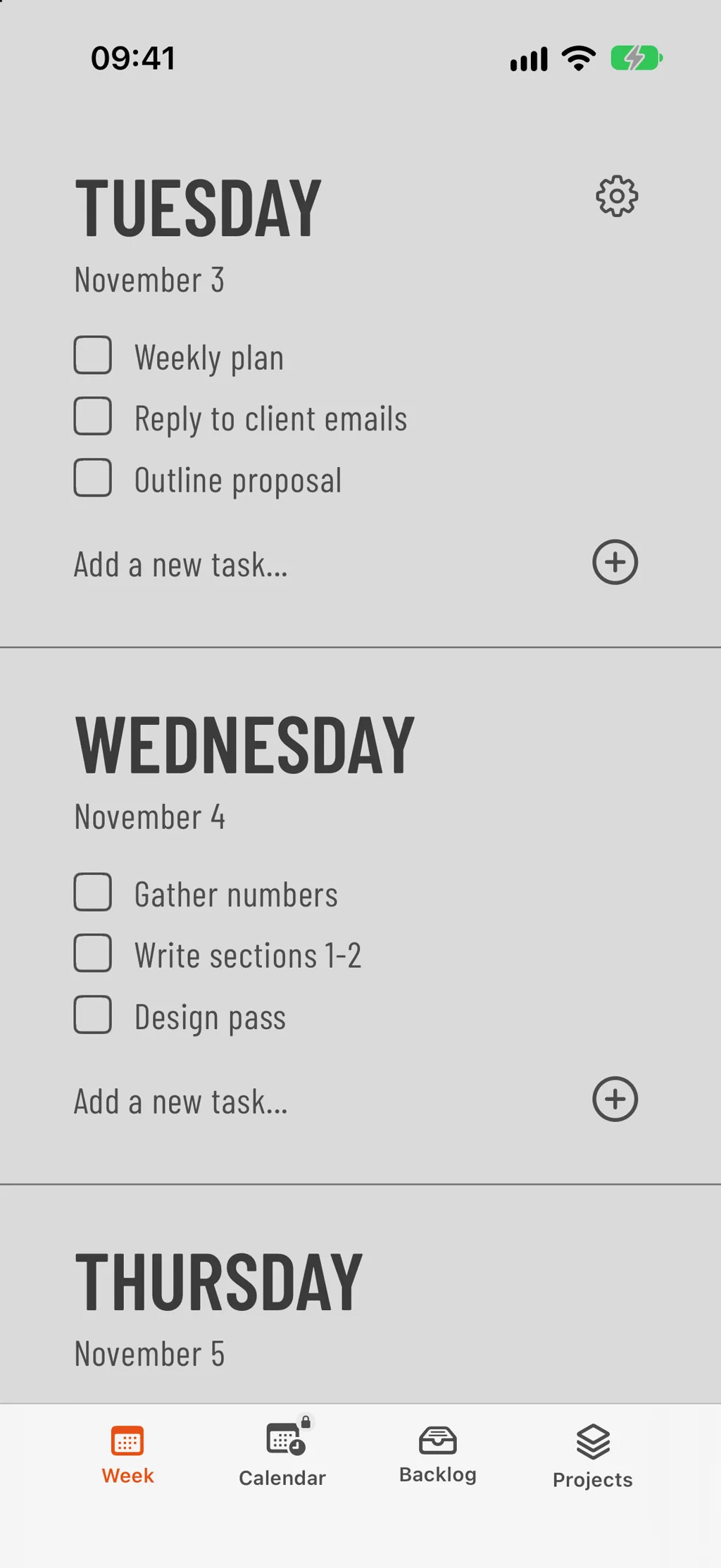
Most people don't need another to-do app — they need a weekly view. A weekly planner app spreads your tasks across seven days so you can see, at a glance, whether Wednesday is already overloaded before Wednesday shows up. That single change — from one long list to seven short ones — is usually the difference between a week that runs on plan and a week that runs on panic.
You don't need a complex system. Below is the exact five-minute routine we use inside Weeklane, our own weekly planner app for iPhone. It works in any tool that shows the week day-by-day.
Plan your week in 5 steps
- Brain-dump every task. Open a blank list and write everything down — work, personal, errands, follow-ups. Don't sort yet.
- Pick this week's priorities. Star the 3–5 tasks that would make the week a success. Everything else is optional.
- Spread tasks across the days. Drop each priority onto a specific day. Keep Monday and Friday light; put the heavy work on Tuesday–Thursday.
- Set one anchor per day. For each day, mark one "anchor" task — if only one thing gets done, this is it.
- Review on Sunday. Roll unfinished tasks forward, drop what's no longer relevant, and start again.
What to look for in a weekly planner app
- Day-by-day view. One list per day, seven days visible — not a giant calendar grid.
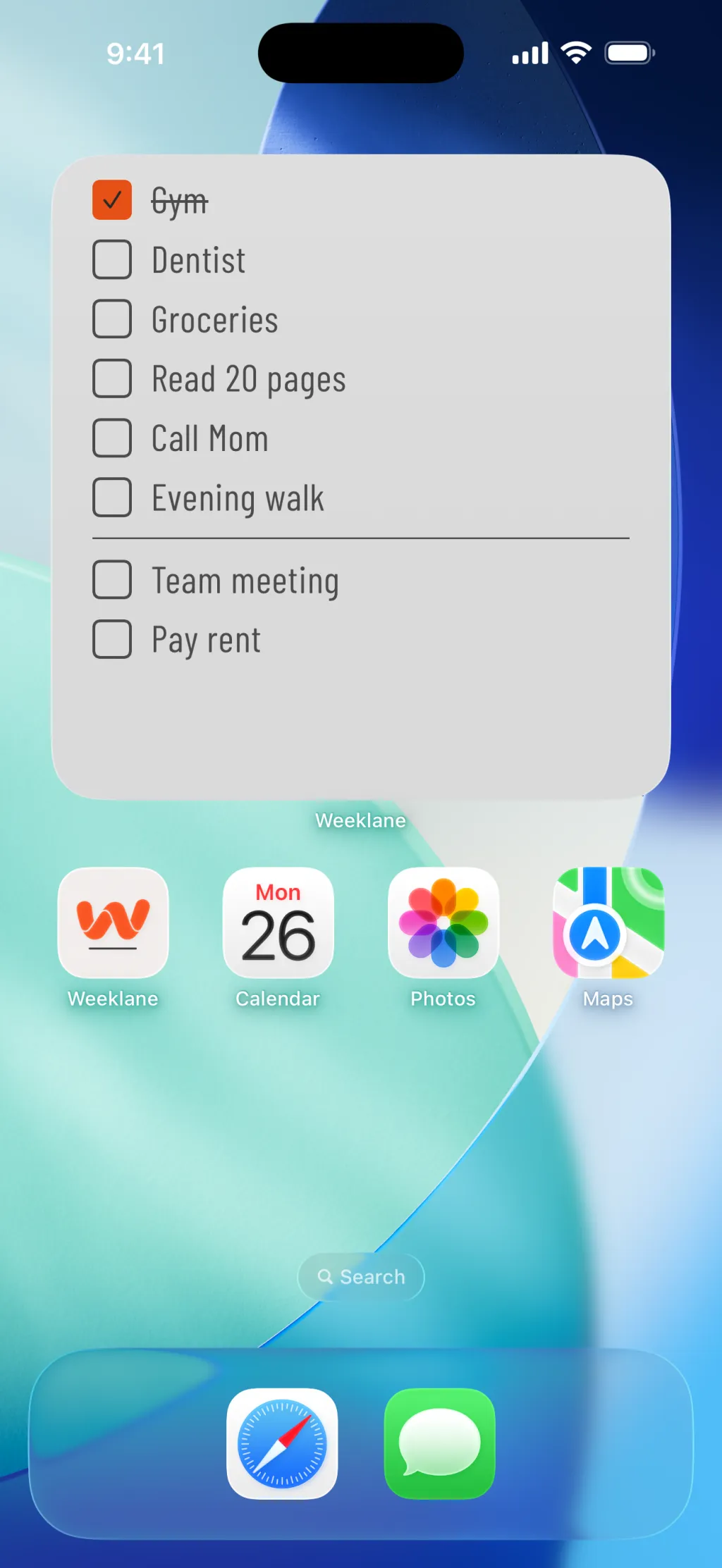
- Home Screen widget. Today's list, one glance away. If you have to open an app to see it, you won't.
- Fast entry. Adding a task should take one tap, not five.
- Free to plan. You should be able to plan a full week before paying for anything.
Pair it with a method that fits
A weekly planner app gives you the container; a method gives you the rhythm. Two that pair especially well with a week view:
- The Ivy Lee Method — six tasks a day, ranked, done one at a time. Perfect for picking each day's list.
- The Time Blocking Method — give each task a specific block of time. Great for the two or three anchor tasks per day.
- The 1-3-5 Rule — one big, three medium and five small tasks per day, with a free printable template.
The weekly plan itself comes easiest out of a 15-minute Sunday reset routine, which you can turn into a printable list with the free Sunday reset checklist builder. If most of your week is work, the weekly work plan template gives it a one-page shape, and if you are still choosing an app, see the best weekly planner apps of 2026.
Make the plan stick on iPhone
Planning the week is half the job; the other half is not losing the afternoon to a feed. Weeklane Task Lock (new in Weeklane 2.5, part of Weeklane Pro on iPhone and iPad) keeps the apps you choose locked while today still has open tasks and unlocks them when the day's list is done.
How Task Lock works →Frequently asked
What is a weekly planner app?
A weekly planner app shows your whole week at a glance and lets you assign tasks to specific days. It sits between a rolling to-do list and a full calendar.
How is a weekly planner different from a to-do list?
A to-do list is one long pile. A weekly planner spreads those tasks across seven days, so you can see whether Wednesday is realistic before it arrives.
What's the best weekly planner app for iPhone?
Look for a clean day-by-day view, Home Screen widgets, and a free weekly view. Weeklane is a lightweight option built around exactly this — one list per day, seven days at a glance.
Try Weeklane as your weekly planner
A clean day-by-day list on iPhone, iPad, Mac and Android. Free to plan; Pro adds reminders, recurring tasks, shared projects and Task Lock (iPhone and iPad), with a 7-day free trial.

Scan to download
Related guides
- Best Weekly Planner Apps (2026) — which weekly planner app fits you: ten apps compared.
- ADHD Weekly Planner — a weekly planning routine built for ADHD brains.
- The Ivy Lee Method — pick the six tasks that matter each day.
- The Time Blocking Method — block time for the tasks you scheduled this week.
- Phone Planner vs Paper Planner — which format fits you, and how to combine them.
- The Sunday Reset — the 15-minute weekly reset that closes last week and sets up the next.
- To-Do List Widget for iPhone — put the week's list on your iPhone Home Screen.
- Weekly Work Plan: Free Template and the Best Apps — a weekly plan for work, with a free printable template.
- Weeklane vs Todoist — when a full task manager is more than your week needs.
- Weeklane vs Tweek — two minimalist weekly planners compared.
- Chore Chart for Couples — split household chores fairly, with a free printable chart.
- Christmas To-Do List: A Week-by-Week December Plan — spread December over the weeks, with a free printable checklist.
- All productivity guides