Comparison guide
Tweek Alternative: Weeklane vs Tweek Compared
Tweek and Weeklane both show your week as simple day lists. They differ on where you plan, where your tasks live and what you pay for. Here is a straight comparison.
Published Updated
Short answer: choose Tweek if you plan mostly in a browser at a desk and want a paper-style week-to-view grid with web access everywhere. Choose Weeklane if you plan mostly on your phone, want today's list on your Home Screen, and prefer personal tasks stored on your device without an account.
Both apps belong to the same family: minimalist weekly planners that show seven days at once instead of an inbox or a project tree. That makes the differences more about workflow than about features.
Weeklane vs Tweek at a glance
| Weeklane | Tweek | |
|---|---|---|
| Core layout | Week as seven short day lists | Paper-style week-to-view grid with Someday columns |
| Platforms | iPhone, iPad, Mac, Android | Web, iPhone, iPad, Android, Mac |
| Web app | No | Yes — web is its home |
| Account for personal tasks | Not needed; stored on your device (optional Apple or Google sign-in syncs devices with Pro) | Account used to sync your calendar across devices |
| Home Screen widgets | Yes, medium and large | Yes |
| Recurring tasks and reminders | Weeklane Pro | Available; some options are Premium |
| Calendar events | Weeklane Pro, read-only device calendars | Google, Apple and Outlook calendar sync (Premium) |
| Sharing | Shared projects; Pro creates, invitees join free | Shared calendars and lists |
| App blocking | Task Lock (iPhone and iPad, Pro) | No |
| Paid plan | Pro $4.99/month or $34.99/year, 7-day free trial | Premium $5.99/month or $49.99/year |
Where Tweek is the better choice
- You plan in a browser. Tweek's web app is excellent and is where most people use it. Weeklane has no web version.
- You want a paper-planner look. Tweek's grid deliberately mimics a printed week-to-view spread, including Someday columns for undated tasks.
- You want two-way calendar sync. Tweek Premium connects Google, Apple and Outlook calendars. Weeklane shows device calendars read-only alongside your tasks.
Where Weeklane is the better choice
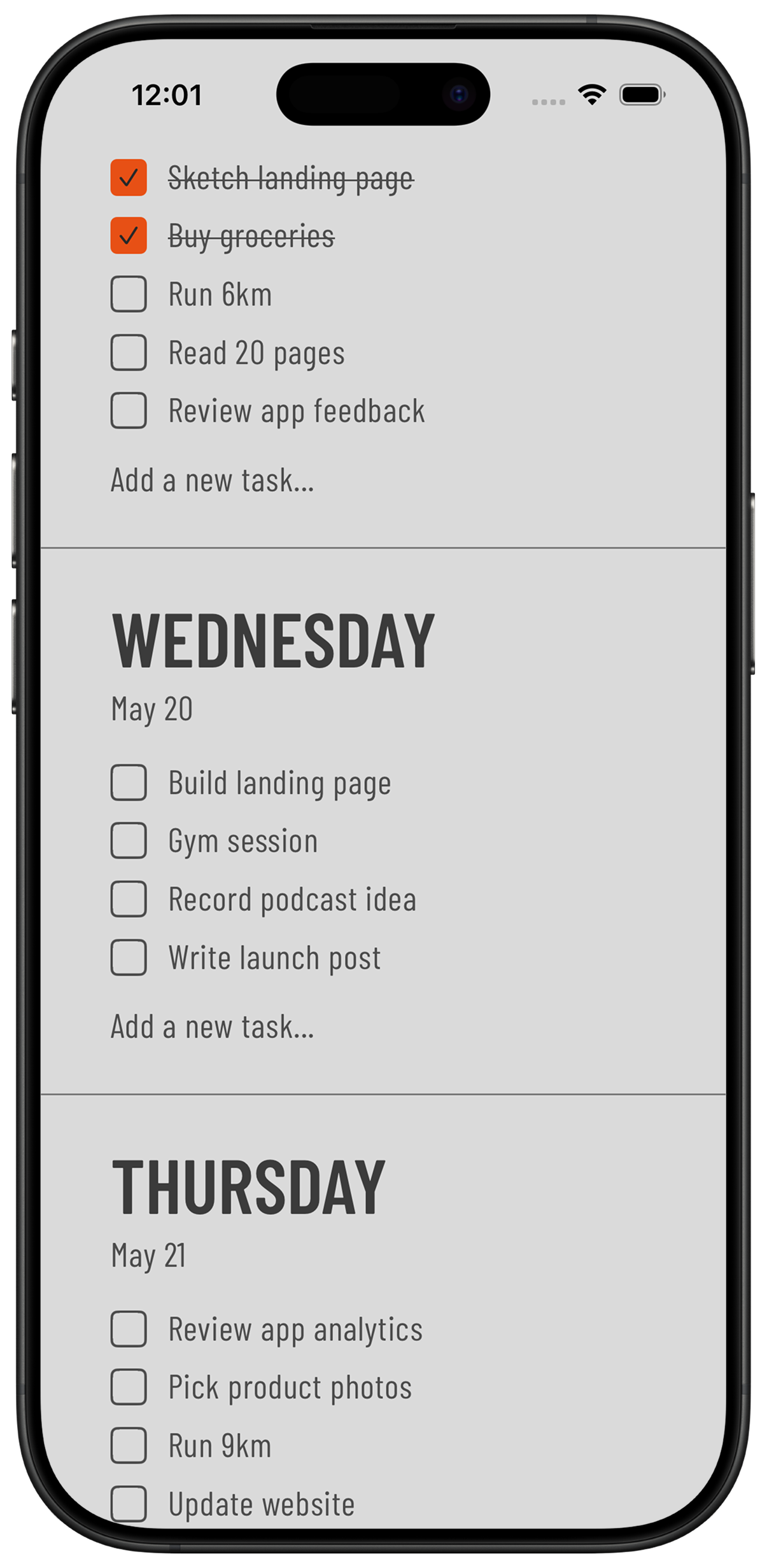
- Phone-first planning. Weeklane is designed for a phone screen: one tap to check off, today's list in a Home Screen widget, nothing to configure.
- No account for your own week. Without an account, personal tasks stay on your device. Planning your own week never requires one.
- A lower price for the paid tier. Weeklane Pro is $4.99 monthly or $34.99 yearly, and the weekly planner itself is free.
- Focus features. Task Lock (since Weeklane 2.5) keeps distracting apps like TikTok or Instagram locked until today's tasks are checked off.
- Plan with AI. Weeklane Pro connects to Claude or ChatGPT, so an assistant can plan your week, move unfinished tasks or set reminders for you, and you can undo its last change.
Switching from Tweek to Weeklane
- Look at the next seven days in Tweek. Only dated tasks for this week need to move. Leave the Someday columns where they are for now.
- Type this week's tasks into Weeklane. Pick the day, type the task. Three to five per day is a healthy week.
- Add the widget. Put the medium or large Weeklane widget on your first Home Screen page.
- Recreate only the recurring tasks you miss. Recurring tasks and reminders are in Weeklane Pro; the 7-day free trial lets you test them before deciding.
- Run both for a week. If you keep reaching for the browser, Tweek is your tool. If the phone widget is enough, you have simplified.
For a wider view, see the best weekly planner apps of 2026 and our minimalist weekly planner comparison. If your list keeps outgrowing a week view, read Weeklane vs Todoist; if the week view is the point, the five-minute weekly planning routine shows how to fill it.
Other Tweek alternatives worth a look
If you want a weekly view with more power, Todoist and TickTick can show an upcoming week on top of a full task manager. If you think in hours rather than lists, timeline planners such as Structured lay out your day as a schedule. If you want a desktop-first open-source planner, WeekToDo stores data locally. Our minimalist weekly planner comparison covers these trade-offs in more detail.
Frequently asked
What is the best alternative to Tweek?
For phone-first planning without an account, Weeklane is the closest alternative: the same week-at-a-glance idea as seven day lists, with Home Screen widgets on iPhone, iPad, Mac and Android. If you need a browser version, Tweek remains the better fit.
Is Weeklane free like Tweek?
Yes. Weeklane's weekly planner is free to use. Weeklane Pro adds Task Lock on iPhone and iPad, Plan with AI, sync across devices, reminders, recurring tasks, connected calendars and shared projects for $4.99 monthly or $34.99 yearly, with a 7-day free trial.
Does Weeklane have a web version like Tweek?
No. Weeklane runs on iPhone, iPad, Mac and Android. If you need to plan in a browser on Windows or Linux, Tweek covers that.
Can I share a weekly planner with my partner in Weeklane?
Yes. A Weeklane Pro member can create a shared project and invite others, who can take part for free. Shared projects sync through the cloud; personal tasks are not part of them.
Try the phone-first weekly planner
Your week as seven short lists on iPhone, iPad, Mac and Android. Free to plan; Weeklane Pro adds Task Lock on iPhone and iPad, with a 7-day free trial.


Scan to download
Related guides
- Best Weekly Planner Apps (2026): Honest Picks by Use Case — ten weekly planner apps compared, Tweek included.
- Best Minimalist Weekly Planner Apps (2026 Comparison) — how all the minimalist weekly planners compare.
- Weeklane vs Todoist: A Simpler Todoist Alternative — the same honest comparison against Todoist.
- Weekly Planner App: How to Plan Your Week in 5 Minutes — the five-minute routine to plan your week in any app.
- Guides