AI setup guide
How to Connect Your To-Do List to Gemini
Gemini can work with apps you add yourself. Add Weeklane as a custom app, then type @Weeklane in a chat and let Gemini plan your week in a real to-do list.
Published Updated
What you need
- Gemini: an account that can add custom apps (see the box above). You add the app on the web; it then works in the Gemini web and mobile apps.
- Weeklane: Weeklane 3.0 or later, signed in with Apple or Google in the app (Settings → Account), and Weeklane Pro (lifetime unlock included).
Add Weeklane to Gemini
Step 1: Open Connected Apps
gemini.google.com → Settings → Connected AppsOn a computer, go to gemini.google.com, click Settings at the bottom, then Connected Apps.
Step 2: Add a custom app
Custom apps → Add a custom appUnder Custom apps, click Add a custom app (or the link to get started if it's your first).
Step 3: Paste the URL
https://mcp.weeklane.app/mcpPaste Weeklane's MCP server URL and click Next. Leave Advanced features alone: Weeklane registers Gemini automatically, so no credentials are needed.
Step 4: Sign in and click Allow
Follow the on-screen steps. Sign in with the same Apple or Google account as in the Weeklane app, then click Allow.
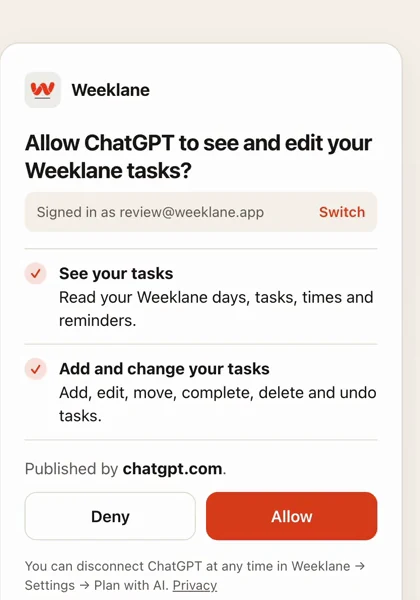
The Weeklane consent screen (shown here for ChatGPT; your assistant's name appears instead). Step 5: Call it with @ in a chat
@WeeklaneIn a chat on the web or in the Gemini app, type @, pick Weeklane, and ask: “What's on my list this week?”
Check your phone
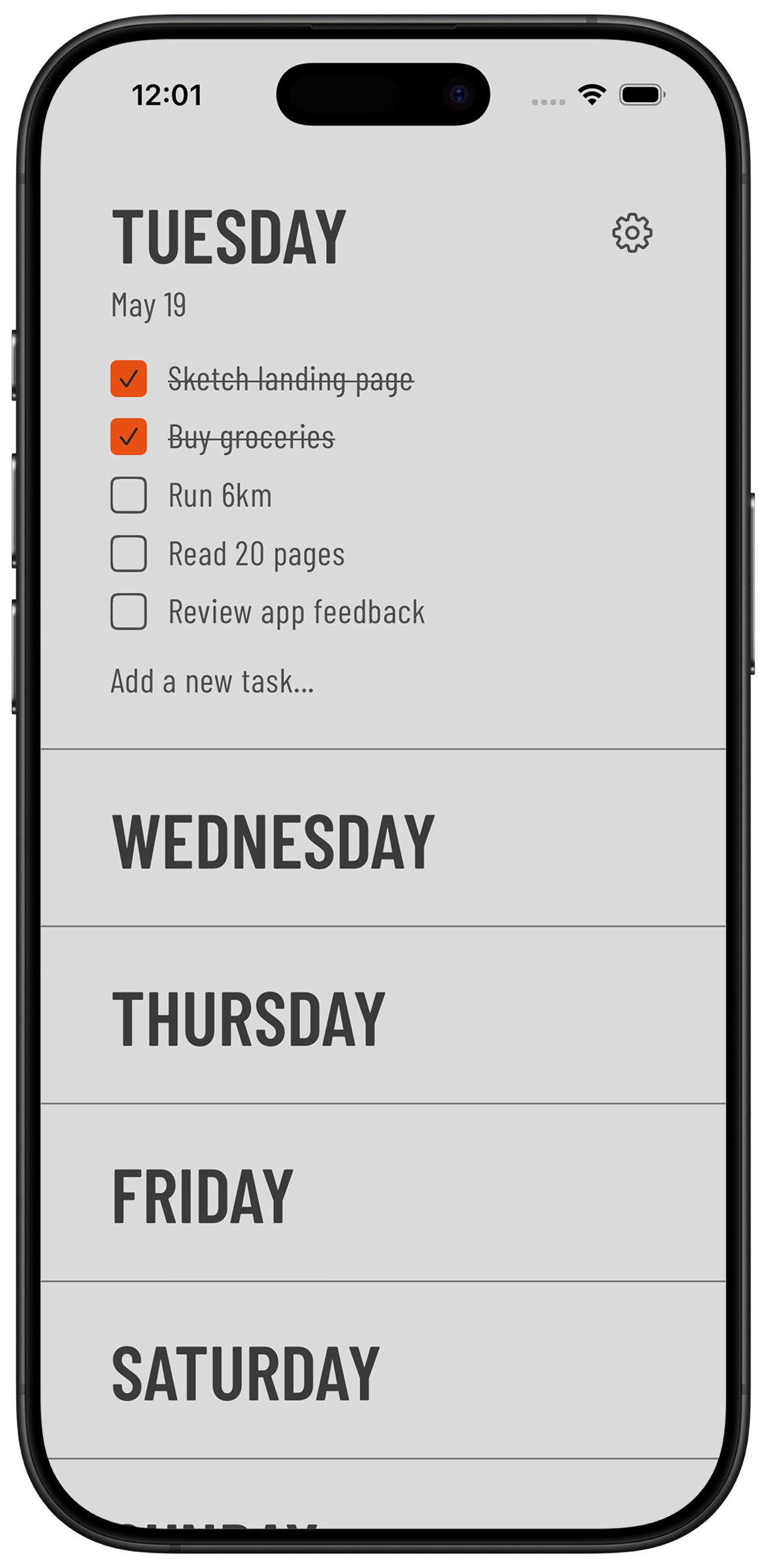
Open Weeklane on your iPhone, iPad, Mac or Android phone. Tasks that Gemini adds show up on the right day within seconds, and reminders are scheduled on the phone like the ones you add yourself.
What you can say
Talk to Gemini like you would to a helpful assistant. Mention Weeklane in the first message so it knows which tool to use. Start with one small request, check the app, then go bigger.
- “What's on my Weeklane list this week?”
- “Add “Water the plants” to my Weeklane on Saturday at 10:00 with a reminder 15 minutes before.”
- “Plan my week in Weeklane: gym Monday, Wednesday and Friday at 7, dentist Thursday at 10.”
- “Move everything I didn't finish today to tomorrow.”
- “Make “team check-in” repeat every Monday at 9.”
- “Turn on Task Lock from 9:00 with my Social list.”
- “Undo that last Weeklane change.”
Long list in your head? Start with a brain dump to AI and let Gemini add the sorted week in one go. Weeklane takes up to 50 tasks at once. Task Lock works on iPhone and iPad only. The assistant can turn it on or off, set the start time, allow breaks and switch between block lists you saved, but it can never see or choose which apps are blocked.
If something doesn't work
- No Custom apps section. Your account may not be eligible yet: check the country, age, account type, language and Keep Activity requirements above.
- Gemini asks for credentials. Check that the URL is exactly https://mcp.weeklane.app/mcp. Weeklane supports automatic client registration, so the Advanced features fields should stay empty.
- Gemini doesn't use Weeklane. Start the message with @Weeklane so Gemini knows which app to use.
- Sign-in says you need Pro. Plan with AI is part of Weeklane Pro. Sign in with the account that has Pro in the app.
Undo, privacy and disconnecting
- Undo. Ask the assistant to undo its last Weeklane change, or do it yourself in Weeklane under Settings → Plan with AI, where every AI change is listed.
- Only your own tasks. The assistant works with your personal tasks. It never sees shared projects.
- Disconnect any time. In Weeklane, open Settings → Plan with AI and tap Revoke next to the assistant. You can also remove the connector on the assistant's side.
- Privacy. Weeklane does not sell your tasks or use them to train AI. The assistant's own privacy terms apply to your chats.
Using another assistant?
- Claude — one click from Claude's connector directory.
- ChatGPT — add Weeklane as a custom MCP server.
- Grok — tested, with screenshots.
- Perplexity — custom remote connector.
- Mistral Le Chat — custom MCP connector.
Frequently asked questions
Can Gemini connect to my to-do list?
Yes, if your account can add custom apps and the to-do app has an MCP server. Weeklane does: add it under Settings → Connected Apps → Add a custom app.
Who can add custom apps in Gemini?
Per Google's help page: people 18 or older in the US, with a personal Google account, using Gemini in English, with Keep Activity on. Some reports say a Google AI Pro or Ultra plan is needed too. This may change, so check Google's help page.
Does it work in the Gemini phone app?
You add the custom app on the web at gemini.google.com. After that, Google says it works in the Gemini mobile app too.
Is this the same as Gemini CLI?
No. Gemini CLI is a developer tool with its own setup, which is on the Plan with AI page. This guide is for the Gemini app.
What can Gemini do with my Weeklane tasks?
Read your week, search tasks, add tasks with a time and reminder, edit, move, check off and delete tasks (up to 50 at once), manage repeating tasks and undo its own last change. On iPhone and iPad it can also control Task Lock, but it can never see or choose which apps are blocked.
What do I need on the Weeklane side?
Weeklane 3.0 or later, signed in with Apple or Google in the app (Settings → Account), and Weeklane Pro (lifetime unlock included). The free weekly planner works without Pro, but connecting an assistant does not.
How do I disconnect or undo a change?
Ask Gemini to undo its last Weeklane change, or open Weeklane → Settings → Plan with AI to see every AI change, undo the last one or tap Revoke to disconnect.
Is my data used to train AI?
Weeklane does not sell your tasks or use them to train AI. The assistant's own privacy terms apply to your chats.
Get Weeklane, then connect your assistant
Weeklane shows your week as seven short day lists on iPhone, iPad, Mac and Android. The weekly planner is free; Plan with AI is part of Weeklane Pro.

Scan to download
Related guides
- How to Connect Your To-Do List to Grok — tested setup with screenshots, in two minutes.
- How to Connect Your To-Do List to Claude (3 Ways) — one click from Claude's connector directory.
- Can ChatGPT Manage Your To-Do List? 3 Setups That Work — add Weeklane to ChatGPT as a custom MCP server.
- How to Connect Your To-Do List to Perplexity — add Weeklane as a custom remote connector.
- How to Connect Your To-Do List to Mistral Le Chat — Mistral's assistant, custom connectors on the free plan too.
- How to Brain Dump to AI and Get a To-Do List for the Week — turn a messy brain dump into a week first.
- Guides