Agents guide
How to Get a Phone Notification When Claude Code Needs You
Agents finish at 2 am and ask for a decision at 9. Give them a to-do list for their human: Claude Code, Codex, Cursor and scheduled tasks write short tasks to Weeklane, and your phone tells you. No code, no bot to host.
Published Updated
Long agent runs end the same way: the terminal says “done, but I need you to decide X” and you are in another room, on another project, or asleep. A macOS notification hook only works while you sit at that Mac. A Telegram bot works, but the messages scroll away and every project needs its own. What you want is a list on your phone that every agent can write to and that stays until you deal with it.
What you end up with
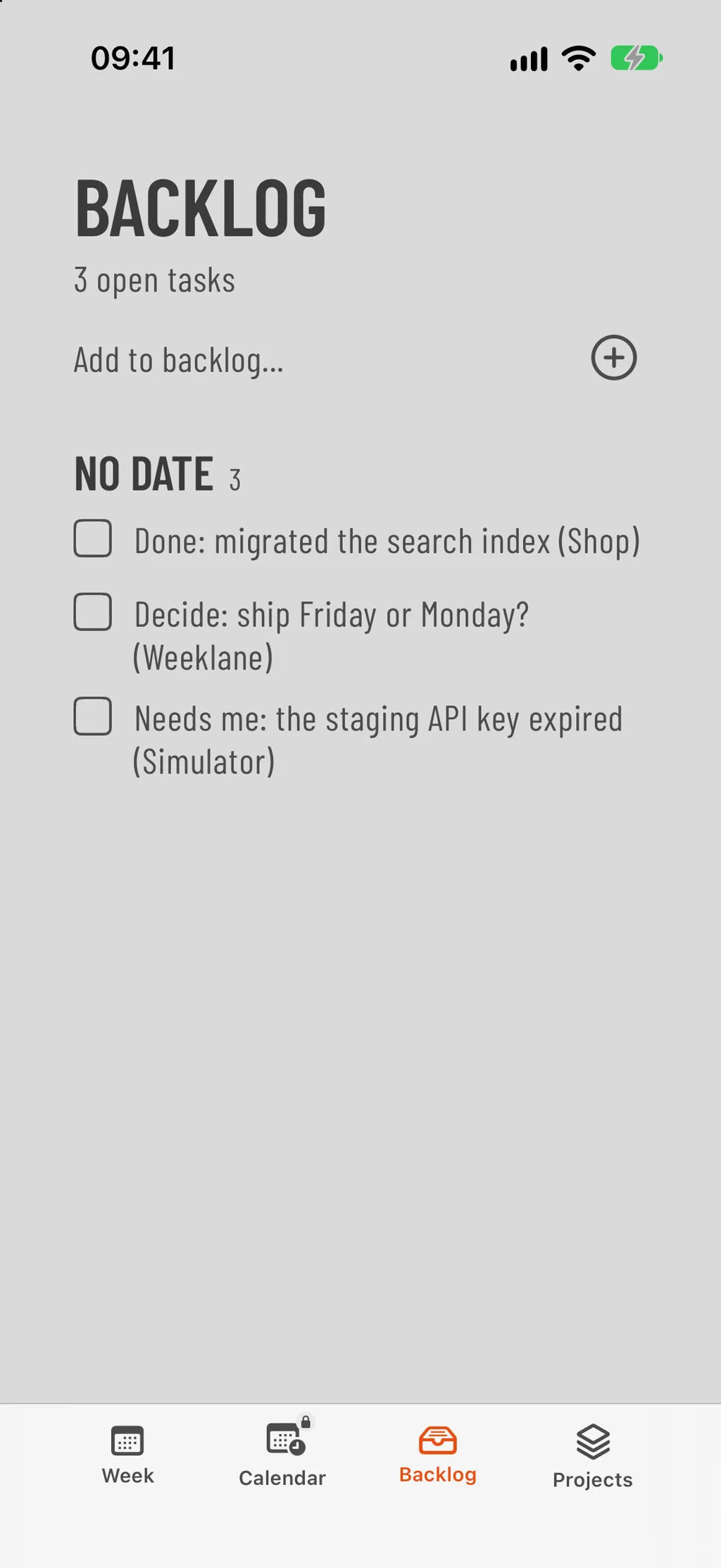
Each agent writes short tasks into your Weeklane: “Done: migrated the search index (Shop)”, “Decide: ship Friday or Monday? (Weeklane)”, “Needs me: the staging API key expired (Simulator)”. Your phone gets a notification for each change, titled with the assistant that made it. You open the list, decide, and move or check off the task. Everything an agent did is listed under Settings → Plan with AI with an Undo button.
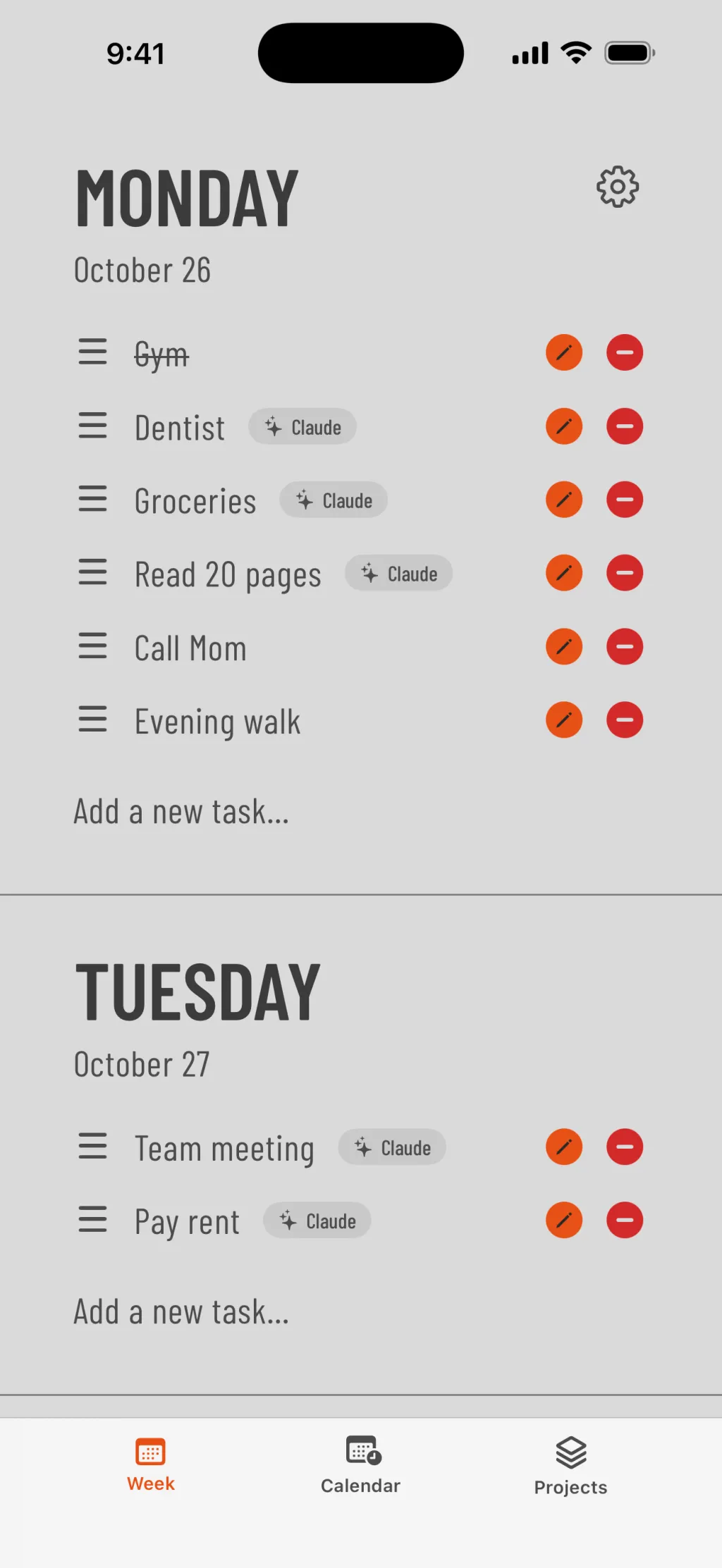
Setup in five minutes
Step 1: Install Weeklane and sign in
Weeklane → Settings → AccountGet Weeklane on your iPhone (or Android), open Settings → Account and sign in with Apple or Google. Plan with AI is part of Weeklane Pro, which has a free trial.
Step 2: Add the Weeklane server to Claude Code
TerminalIn a terminal, run the command below once. The user scope makes it available in every project. If you prefer a per-project setup, put the JSON further down in a .mcp.json at the project root instead.
Step 3: Sign in from Claude Code
Claude Code → /mcpStart Claude Code, type /mcp, choose weeklane and follow the browser sign-in. Use the same Apple or Google account as in the app and tap Allow. Claude Code stores and refreshes the token for you.
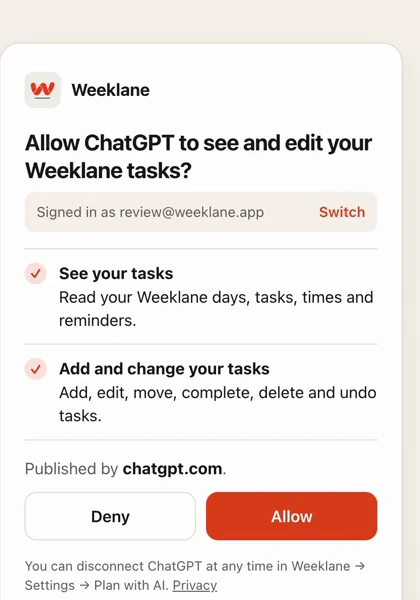
The Weeklane consent screen. Every connected agent can be revoked later in Settings → Plan with AI. Step 4: Tell the agent when to write to you
~/.claude/CLAUDE.mdPaste the CLAUDE.md block below into ~/.claude/CLAUDE.md (all projects) or a project's CLAUDE.md. Codex reads AGENTS.md and Cursor reads its rules files; the text is the same.
Step 5: Test it
Claude CodeAsk Claude Code: “Add ‘Review the Weeklane setup’ to my Weeklane Backlog.” Your phone should show a notification within a few seconds. Then give it real work and let it report back on its own.
claude mcp add --transport http weeklane https://mcp.weeklane.app/mcp --scope user
{
  "mcpServers": {
    "weeklane": { "type": "http", "url": "https://mcp.weeklane.app/mcp" }
  }
}
The CLAUDE.md rule that makes it useful
Without rules an agent will either never write to you or flood you. These five lines do most of the work: one task per event, a fixed prefix so you can scan the list, the project in brackets, and a hard cap. The last rule matters most: agents put things in the Backlog, and only you put things on a day.
## Weeklane (my phone inbox)
Weeklane is my to-do list. Use it to reach me, not to track your own work.
- When you finish a task I gave you, add ONE task to my Weeklane Backlog:
  "Done: <what you did> (<project>)".
- When you need a decision, add ONE task that starts with "Decide:" and
  put the options in the title, e.g. "Decide: ship Friday or Monday? (Weeklane)".
- When something is blocked on me, add "Needs me: <what>, <why> (<project>)".
- Never more than 3 tasks per run. Never complete, move or delete tasks
  you did not add. Never put tasks on a day; I move them myself.
Weeklane's Backlog holds tasks that have no day yet. Agent items land there, your Monday stays yours, and when you have decided you drag the task onto a day or check it off. If you want urgent items on today instead, change the last rule to “put ‘Needs me’ tasks on today, everything else in the Backlog”.
Same setup for Codex, Cursor, Gemini CLI and scheduled tasks
- Codex: codex mcp add weeklane --url https://mcp.weeklane.app/mcp, then codex mcp login weeklane. Put the rules in AGENTS.md.
- Cursor and other MCP apps: add a remote MCP server (Streamable HTTP) with the URL https://mcp.weeklane.app/mcp, sign in when asked, and put the rules in your rules file.
- Gemini CLI: add "weeklane": { "httpUrl": "https://mcp.weeklane.app/mcp" } under mcpServers in ~/.gemini/settings.json, then run /mcp auth weeklane.
- Scheduled Claude tasks (cloud): connect Weeklane once from Claude's connector directory. Cloud scheduled tasks include your connectors by default, so an overnight routine (“check the error logs, fix what you can, leave me a task for the rest”) reaches your phone without your computer being on.
- Several agents, one list: every agent signs in to the same Weeklane account, so Claude Code on your laptop, a Codex job on a server and a scheduled Claude task all write to the same inbox. Each change is labelled with the assistant that made it.
Why a list and not a chat ping
| Terminal notification hook | Telegram or Slack bot | Weeklane | |
|---|---|---|---|
| Reaches your phone | No, only that computer | Yes | Yes (iPhone and iPad; Android syncs silently for now) |
| Stays until you deal with it | No | Scrolls away | Yes, it is a task |
| Several projects and agents | One machine | One bot per setup | All in one account, labelled by assistant |
| Something to run or host | No | A bot token and a script | No, OAuth and a URL |
| Decide and plan on the spot | No | No | Move the task to a day, check it off, undo the agent |
| Cost | Free | Free | Weeklane Pro after the trial |
What it cannot do yet
- No answer channel. The agent can see whether a task is done and read its current title (search_tasks, get_week), so a crude loop works: rename “Decide: Friday or Monday?” to “Decide: Friday or Monday? → Friday”, and the agent reads it on its next run. A proper ask-and-answer tool is on the roadmap.
- OAuth only. Agents sign in through a browser once. Headless jobs on a server need a client that can store the OAuth token (Claude Code and Codex can); personal API tokens are planned.
- Android: tasks arrive and the widget updates, but there is no visible notification yet.
- Limits: 120 changes per hour per account and 50 tasks per call, which is plenty for notes to a human and a brake if a prompt-injected agent tries to spam you. You can revoke any agent in Settings → Plan with AI.
- Plan with AI — setup steps for Claude, ChatGPT, Codex, Cursor and more.
- Connect your to-do list to Claude — the consumer version of this setup.
- Brain dump to AI — turn a messy dump into a week.
Frequently asked questions
Does it work when my computer is off?
The agent writes to Weeklane at the moment it runs, so an agent on your laptop needs the laptop on. Scheduled Claude tasks in the cloud and agents on a server run without your computer, and the notification still reaches your phone.
Is it free?
Weeklane is free to plan your week. Plan with AI, which is what agents use, is part of Weeklane Pro and starts with a free trial. There is no extra charge per agent or per task.
Can the agent see my other tasks?
Yes, all personal tasks in the account it signed in to, never shared projects. If you want a separate list for agents, sign in with a different Apple or Google account on a second device or use the Backlog rule above so agent items stay apart from your days.
Can an agent spam me or delete my tasks?
It is limited to 120 changes per hour, every change is listed in Settings → Plan with AI with Undo, deleting tasks is marked as destructive to the agent, and you can revoke an agent there at any time. The CLAUDE.md rules above also tell it never to touch tasks it did not add.
Does this work with Codex, Cursor or Gemini CLI?
Yes. Any client that supports remote MCP servers with OAuth can use the same URL. The guide lists the commands for Codex, Cursor and Gemini CLI, and the /ai page covers ChatGPT, Claude, Grok, Perplexity and Le Chat.
Is there an API or a webhook instead of MCP?
Not yet. MCP is the only way in today, and personal API tokens for headless jobs are on the roadmap. Tell support what you would build with one.
One inbox for everything your agents need from you
Weeklane shows your week as seven short day lists on iPhone, iPad, Mac and Android. The weekly planner is free; Plan with AI is part of Weeklane Pro.


Scan to download
Related guides
- How to Connect Your To-Do List to Claude (3 Ways) — the consumer version: Claude in the browser or app.
- How to Brain Dump to AI and Get a To-Do List for the Week — turn a messy dump into a week with any AI.
- Can ChatGPT Manage Your To-Do List? 3 Setups That Work — the same connection from ChatGPT.
- Weekly Work Plan: Free Template and the Best Apps to Run It — a one-page plan for the work week.
- Guides