Planning guide
Phone Planner vs Paper Planner: Which One Actually Works?
Both work, for different people. Here is what each format is genuinely good at, where each one falls down, and how to set up a phone planner if that is the one that fits.
Published Updated
Short answer: a phone planner suits most people better, because the phone is always with you and a Home Screen widget shows today's tasks without opening anything. A paper planner wins if writing by hand helps you think, or if the phone itself is your biggest distraction. Many people plan the week on paper and keep today's list on the phone.
The question is less about which format is better in general and more about where your plan breaks down. If you forget to look at the plan, the format you always carry wins. If the plan never gets made because opening the phone pulls you into a feed, paper wins. The comparison below is about those failure points, not about features.
Phone planner vs paper planner at a glance
| Phone planner | Paper planner | |
|---|---|---|
| Always with you | Yes, it is on the device you already carry | Only if you remember to bring it |
| Seeing today at a glance | Home Screen or Lock Screen widget, no app to open | Open the planner to the right page |
| Moving unfinished tasks | Drag or move a task to another day in a second | Rewrite it by hand |
| Reminders and recurring tasks | Built in (in Weeklane, part of Weeklane Pro) | None; you have to remember to look |
| Thinking and memory | Fast to type, easy to skim past | Writing by hand slows you down and helps many people remember |
| Distraction | Every other app is one swipe away | No notifications, no feeds |
| Sharing with others | Shared lists and projects sync between people | One copy, one person |
| Cost | Free planner apps exist; extras are often paid | A new planner every year, plus pens |
When a paper planner is the better choice
- You think better with a pen. Writing the week out by hand forces you to choose; if that is where your planning actually happens, keep it.
- You want a screen-free ritual. A Sunday session with paper and coffee can be the calmest part of the week, and it is easy to protect.
- The phone is the problem. If unlocking the phone to check your list ends in twenty minutes of scrolling, paper removes the trap entirely.
- You plan at one desk. If the planner never needs to leave your desk, carrying it is not a cost.
When a phone planner is the better choice
- You forget to carry things. A plan you left at home cannot help you at 2 pm. The phone is already in your pocket.
- Your tasks move around. When half the week shifts by a day, moving tasks with one gesture beats rewriting pages.
- You need a nudge. Reminders, task times and repeating tasks do the remembering for you.
- Someone else is involved. Shopping lists, household chores and small team tasks are easier when everyone sees the same list.
The hybrid that works for many people
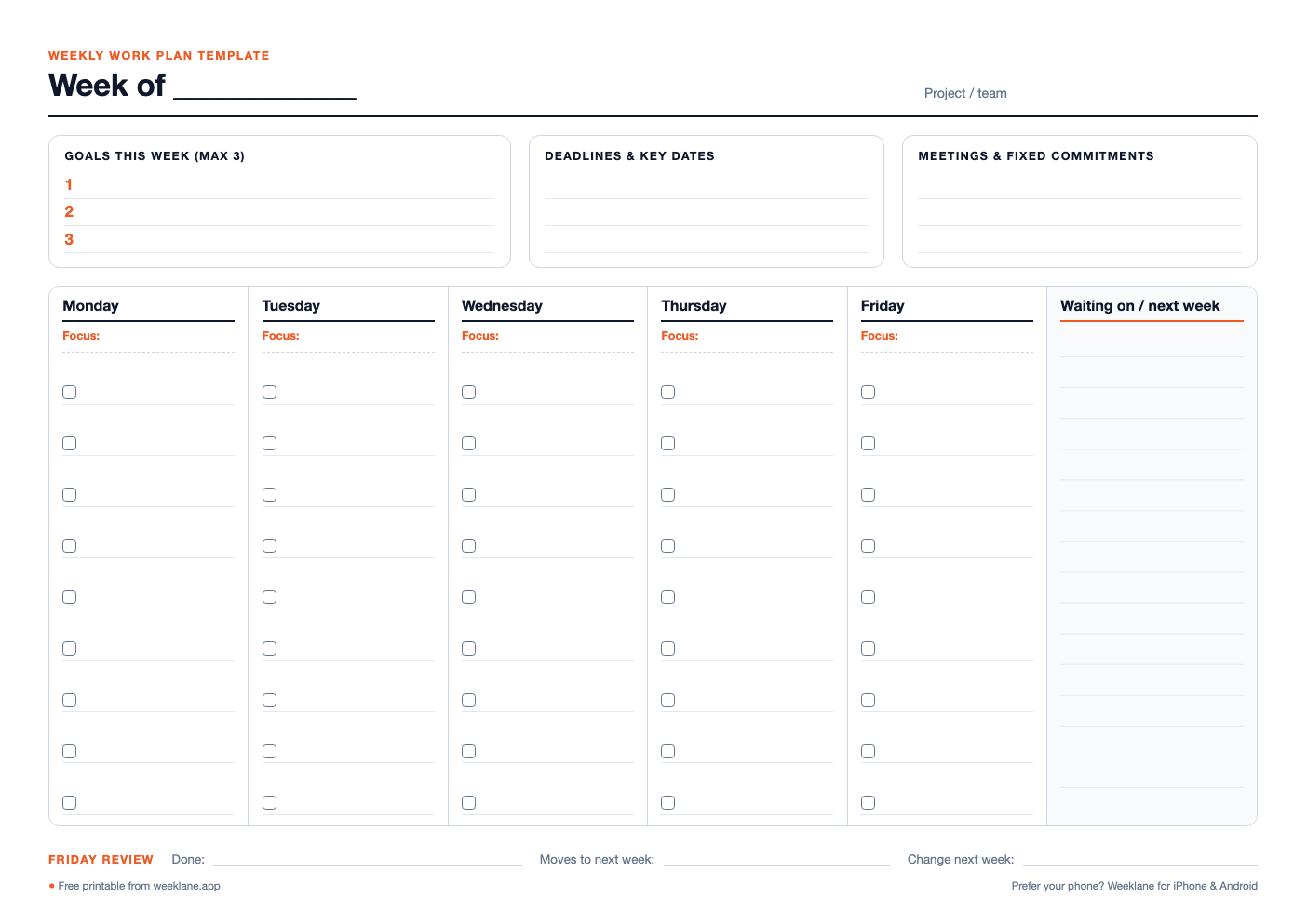
You do not have to pick one. A common setup is to plan the week on paper on Sunday, then copy only the tasks that matter into a phone planner so today's list is always visible. If you like a printed sheet, the free weekly work plan template and the time blocking templates below are made for exactly that first step; the phone then carries the result through the week.
Planning work rather than personal life? The weekly work plan guide walks through a 15-minute method with its own printable template.
If you go digital, a few guides help: keep today's tasks visible with a to-do list widget on iPhone, plan the whole week with the five-minute weekly planning routine, and compare apps in the best weekly planner apps of 2026. Android users can start with our pick of simple to-do apps for Android.
The 5-step phone planner system
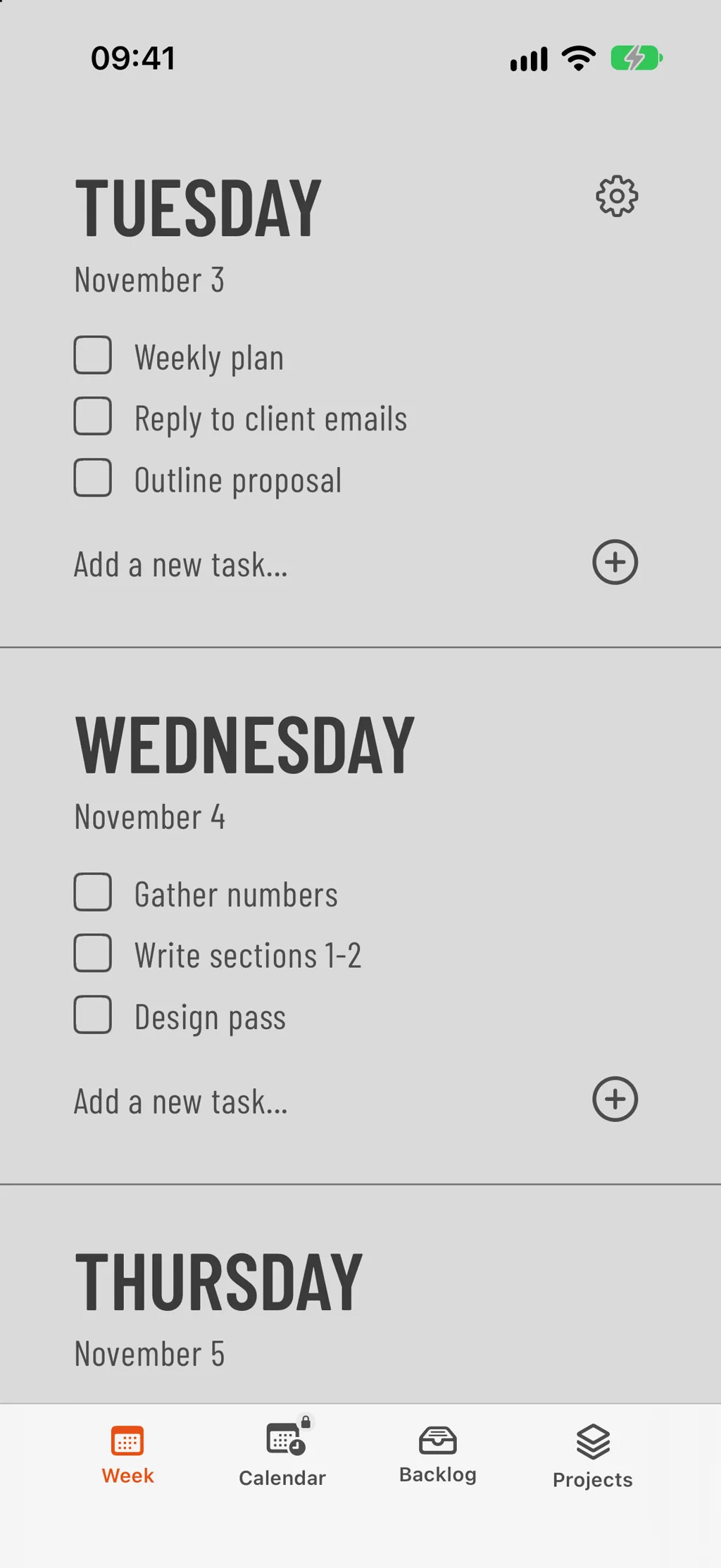
- Pick one planner app. Choose a single, lightweight app and delete the rest. One source of truth beats five half-used tools.
- Add it to your Home Screen. Place the app — and its widget — on your first Home Screen so today's list is one glance away.
- Plan the week on Sunday. Spend five minutes spreading tasks across the seven days. Keep Monday and Friday light.
- Check the widget, not the app. Glance at the widget instead of opening the app. Less friction means you'll actually use it.
- Review at night. Before bed, roll unfinished tasks forward one day. That single habit keeps the system honest.
What makes a good phone planner
- A weekly view. Seven short lists beat one endless one.
- A Home Screen widget. If you have to open the app to see today, you won't.
- Fast task entry. One tap to add, one tap to check off. Anything more is friction.
- Free core planner. Weekly planning in Weeklane is free. Weeklane Pro ($4.99/month or $34.99/year after a 7-day free trial) is optional and adds Task Lock, reminders, recurring tasks, calendars and shared projects.
If you are still choosing an app, the weekly planner app guide covers what to look for and a five-minute Sunday routine, and the minimalist weekly planner comparison puts the main options side by side.
Frequently asked
Is a phone planner better than a paper planner?
For most people a phone planner is easier to keep up, because the phone is always with them and a widget shows today's tasks at a glance. A paper planner is better if handwriting helps you think or if your phone distracts you more than it helps.
Can I use a paper planner and a phone planner together?
Yes. A common hybrid is to plan the week on paper on Sunday, then put the tasks that matter into a phone planner so today's list stays visible during the week.
What is a phone planner?
An app that turns your phone into a lightweight planning tool — usually a weekly view, daily lists, and a Home Screen widget so today is one glance away.
How do I stop my phone planner from turning into scrolling?
Keep the planner's widget on your first Home Screen so you rarely need to open anything, move social apps off that screen, and if you use Weeklane on iPhone or iPad, turn on Task Lock so chosen apps stay locked until today's tasks are done.
Which phone planner app should I use?
Pick one with a clean weekly view, a Home Screen widget and a free core planner. Weeklane is a lightweight option built exactly around that, on iPhone, iPad, Mac and Android.
Try Weeklane as your phone planner
A clean day-by-day list on iPhone, iPad, Mac and Android, with Home Screen widgets and Task Lock for distracting apps on iPhone and iPad. Free to plan; Weeklane Pro has a 7-day free trial.
Scan to download
Related guides
- Best To-Do List & Planner Apps for iPhone Duo (2026) — the planner apps that already use the iPhone Duo's inner display.
- Weekly Planner App: How to Plan Your Week in 5 Minutes — what to look for in a weekly planner app, plus a five-minute Sunday routine.
- Free Time Blocking Templates: Daily & Weekly (PDF) — free printable daily and weekly planning sheets for the paper half of a hybrid setup.
- Weekly Work Plan: Free Template and the Best Apps to Run It — plan the work week in 15 minutes, with a free printable template.
- To-Do List Widget for iPhone: Home Screen and Lock Screen Setup — put today's list on your iPhone Home Screen.
- Weeklane vs Todoist: A Simpler Todoist Alternative — when a full task manager is more than your week needs.
- Tweek Alternative: Weeklane vs Tweek Compared — a weekly planner with a web app vs a phone-first one.
- Best Weekly Planner Apps (2026): Honest Picks by Use Case — ten weekly planner apps compared by use case.
- Guides