AI planning guide
How to Plan Your Week With ChatGPT
ChatGPT writes a good-looking week in seconds. Making it a week you can finish takes one missing number: how much time you really have. Here is one prompt that uses it, a worked example week, how to get the plan out of the chat, and a Sunday reset routine built on it.
Published Updated
Help me plan my week (Monday [date] to Sunday [date]).

My fixed commitments: [meetings, pick-ups, appointments]
Free time for tasks each day, in minutes: Mon [..], Tue [..], Wed [..], Thu [..], Fri [..], Sat [..], Sun [..]
Deadlines: [task – day]
Tasks: [paste your list or brain dump]

Rules: use only my tasks, estimate each in minutes, plan each day to 70% of its free time, finish deadline tasks a day early, and put anything that does not fit under "Not this week". Reply with one line per task, grouped by day, with a total per day. Ask me first if anything is unclear.
That prompt alone gets you a realistic week. The full routine below adds standing rules, an overload check, a worked example week and a Friday review, and ends with the step most guides skip: getting the plan out of the chat and onto your phone.
Ask ChatGPT to "plan my week" and you get a confident, tidy schedule that falls apart by Tuesday. The problem is not the model. It is that nobody told it how much time you actually have. This guide is a routine built around that one number: about 20 minutes on Sunday, two minutes a day, ten minutes on Friday. If your starting point is a chaotic pile of to-dos, sort it first with our brain dump to AI guide, then come back here.
Why ChatGPT's weekly plans usually fail
Three habits cause most of it, and all three are fixable with instructions:
- It plans 100% of your free time. Without a limit it fills every gap. Real days lose time to meals, messages and things running late, so a full plan is an overfull plan.
- It trusts your estimates, or makes up optimistic ones. "Do taxes, 1 hour" goes straight into Monday. Tasks you have never done, or that need someone else, usually take far longer.
- It counts the week, not the days. Eight hours of tasks in a week with eight free hours looks fine until you notice Thursday has 30 minutes and Monday has three hours.
The routine below fixes each one: a per-day budget at 70% of free time, a pessimistic-estimate rule, and a check that runs per day before you accept anything.
The weekly routine at a glance
| When | Time | What you do | Prompt |
|---|---|---|---|
| Once | 3 min | Save your house rules so you never retype them | House rules |
| Sunday evening or Monday morning | 15–20 min | Plan the week inside your real free time, then check it | Sunday plan, overload check, estimates |
| Each evening, Monday to Thursday | 2 min | Rebuild tomorrow around what actually happened | Daily re-plan |
| Friday afternoon | 10 min | See what worked and change one rule | Review, carry-over |
Sunday or Monday? Sunday evening works if you like starting Monday with no decisions; Monday morning works if weekends are unpredictable. The prompts are the same. A Sunday reset is a good container for it if you already do one.
Step 1: Save your house rules once
These seven rules do most of the work. Paste them at the start of your planning chat, or save them where ChatGPT keeps standing instructions, such as your custom instructions or a project you use only for planning, so they apply every week without pasting.
House rules for planning my week. Follow them every time:

1. Use only the tasks and commitments I give you. Do not invent tasks, subtasks or deadlines.
2. Estimate every task in minutes and show the estimate in brackets.
3. Use the pessimistic estimate for anything I have never done before, anything that depends on other people, and anything with "set up", "sort out" or "figure out" in it.
4. Plan each day to 70% of the free time I give you for that day. Never more.
5. Finish deadline tasks one day before the deadline.
6. If something does not fit, say so and put it under "Not this week" with a reason. Do not squeeze it in.
7. Output: one line per task, grouped by day, most important first. Then a per-day total against the budget. Nothing else.
Why 70%? It leaves room for the work that never makes it onto a list. If you finish everything two weeks in a row, raise it to 80%. If you rarely finish, drop it to 60%. That one number is the main thing you tune.
Step 2: The Sunday planning prompt
The input matters more than the wording. The line people skip is "free time I actually have for tasks". Count it honestly: an evening after work with dinner and a child's bedtime might be 90 minutes, not four hours. Fixed commitments go in separately so ChatGPT does not treat them as tasks.
Plan my week from Monday [date] to Sunday [date]. Use my house rules.

The one result that would make this week a win:
[e.g. tax return submitted]

Fixed commitments (not tasks, just block the time):
[e.g. Thursday 18:00–22:00 dinner with friends]

Free time I actually have for tasks, per day:
Mon [..] min, Tue [..], Wed [..], Thu [..], Fri [..], Sat [..], Sun [..]

Deadlines:
[task – day]

Left over from last week:
[paste]

New this week:
[paste]

Before you plan, list anything unclear as questions and wait for my answers.
Ending with "list anything unclear as questions" stops the most common silent error: ChatGPT guessing what "sort out insurance" means and planning the wrong thing.
Step 3: Run an overload check before you accept it
Never accept the first plan. Ask ChatGPT to audit its own work, day by day, and to propose cuts rather than make them:
Before I accept this plan, run an overload check:

1. Make a table: day, planned minutes, budget (70% of free time), over or under.
2. Add up the whole week the same way.
3. For every day that is over, suggest what to move or drop, starting with the change that hurts least. Say why for each one.
4. Check that no repeating task (runs, workouts, lessons) lands twice on the same day.

Do not change the plan yet. Wait for me to choose.
If the estimates look suspiciously round or small, add this one. It is the quickest way to find the task that will eat your Wednesday:
Go through the task list again. For each task, give two numbers: a normal estimate and a pessimistic one (what it takes if something goes wrong). Mark the tasks where the gap is more than double, and tell me which ones you would split into a first 15-minute step.
A worked example: from inputs to a finished week
Here is the routine on a real-looking week: someone with a 9-to-5 job planning evenings and the weekend, with a tax deadline on Friday and a child's birthday party on Saturday.
| Day | Fixed commitments | Free time | Budget |
|---|---|---|---|
| Monday | Work | 150 min | 105 min |
| Tuesday | Work, football pick-up 18:00 | 90 min | 63 min |
| Wednesday | Work | 150 min | 105 min |
| Thursday | Work, dinner with friends 18:00–22:00 | 30 min | 21 min |
| Friday | Work | 130 min | 91 min |
| Saturday | Birthday party 14:00–17:00 | 120 min | 84 min |
| Sunday | Nothing fixed | 220 min | 154 min |
| Week | 890 min | 623 min |
The task list had twelve items, from "tax return (due Friday)" to "clear photos off my phone". ChatGPT's first pass, using the pessimistic rule, came to 805 minutes: 182 over the weekly budget before even looking at single days. It flagged three estimates as the risky ones: the tax return (a new online form, 180 minutes instead of 120), fixing the wardrobe door (DIY, 90 instead of 40) and the insurance claim form (45 instead of 30).
The overload check proposed cuts in order of least damage: move clearing photos to the Backlog, move the wardrobe door to next Saturday, and split the book club reading (the club meets next Tuesday) into one chapter now and one next Monday. It also caught something a weekly total hides: a third run fitted the week's budget, but not any single day without doubling up, so it suggested two runs this week. The final plan:
| Day | Tasks (most important first) | Planned / budget |
|---|---|---|
| Monday | Tax: gather documents (90) · Book car service (10) | 100 / 105 |
| Tuesday | Run (40) · Remind parents about Saturday (10) | 50 / 63 |
| Wednesday | Tax: fill in and submit return (90) · Reply to landlord (15) | 105 / 105 |
| Thursday | Order birthday cake (20) | 20 / 21 |
| Friday | Buy party decorations (45) · Insurance claim form (45) | 90 / 91 |
| Saturday | Run (40), before the party | 40 / 84 |
| Sunday | Meal prep (90) · Book club: read chapter 1 (60) | 150 / 154 |
| Not this week | Clear phone photos (Backlog) · Fix wardrobe door (next Saturday) · Book club chapter 2 (next Monday) · Third run |
On Wednesday the tax form took longer and was not submitted. The two-minute evening re-plan moved "submit return" to Thursday, flagged that Thursday was now over its 21 minutes, and suggested ordering the cake online during the Thursday lunch break instead. The tax deadline still held, because the plan had a day of slack built in.
Step 4: Send it to your week
A plan that lives in a chat is gone by Wednesday: there are no checkboxes, no reminders and nothing on your phone. Move it somewhere you look every day, as soon as you accept it. Three ways, from least to most automatic:
- Any calendar or to-do app, by hand. Ask "Rewrite the final plan as a plain checklist per day, no estimates" and copy each day into your app or calendar. It takes about five minutes.
- Paper. Print a one-page week such as the weekly work plan template and copy the plan in by hand. Writing it once also helps you remember it.
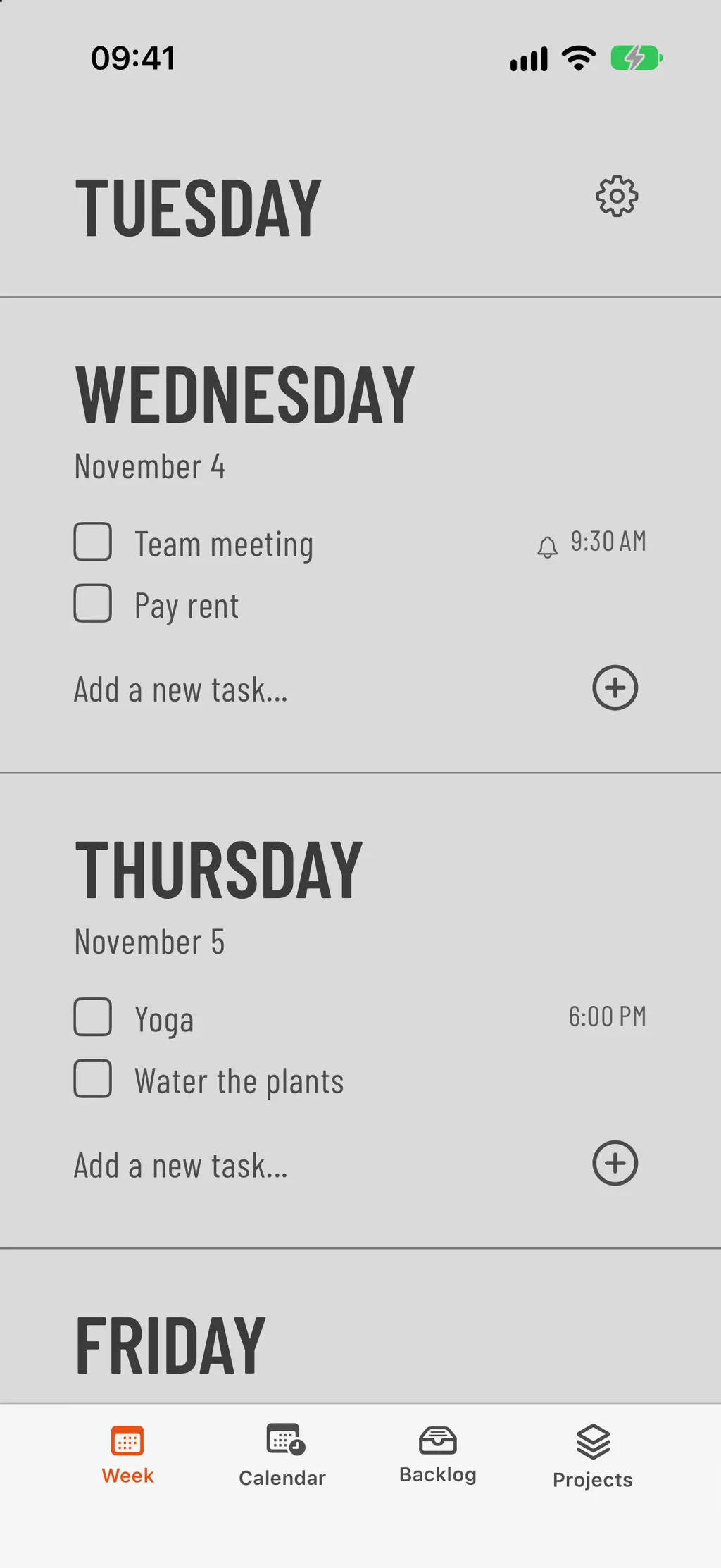
- A planner connected to ChatGPT. Install a to-do app from ChatGPT's Plugins directory and say "Add this plan to my week". With Weeklane, every task lands on its day and the week shows up on your iPhone, iPad, Mac or Android phone. See to-do list apps that work inside ChatGPT for the options and setup.
Step 5: The two-minute daily re-plan
Plans drift. Instead of re-planning the whole week, fix tomorrow each evening and let ChatGPT tell you when the week stops fitting:
Quick re-plan for tomorrow.
Done today: [..]
Not done: [..]
New: [..]
Free time tomorrow: [..] min

Rebuild tomorrow inside 70% of that time, move anything else to a later day this week, and tell me in one line if the week no longer fits.
Keep using the same chat all week, so ChatGPT has the plan in front of it. A new chat starts from nothing unless you paste the plan again or your planner is connected.
Step 6: The Friday review and carrying tasks over
End-of-week review. Here is what I planned and what got done:
[paste the plan with ticks, or say "read my week" if a planner is connected]

1. Completion rate for the week, and per day.
2. The tasks that moved more than once.
3. Where my estimates were most wrong, if I noted actual times.
4. One rule to change next week, based only on this data.

Keep it under 150 words.
The review is only useful if it changes something, which is why it asks for a single rule: a lower budget on Thursdays, a pessimistic estimate for anything with paperwork, no tasks on the day of a late meeting. Then deal with what is left, with one firm rule: a task that has moved twice does not get moved a third time without a decision.
These tasks are unfinished. For each one, decide with me:
- Still matters this week? If not, move it to "Not this week".
- Moved twice already? Then pick one: do it first on Monday, shrink it to a 15-minute first step, hand it to someone, or drop it.
- Otherwise, give it a day next week inside the budget.

Unfinished: [paste]
Two ways to run it: with or without a connected planner
Everything above works in a plain chat on any ChatGPT plan. Connecting a planner changes where the plan lives, and removes most of the copying.
| Plain chat | ChatGPT connected to Weeklane | |
|---|---|---|
| Starting the week | You paste last week's leftovers and repeating tasks | ChatGPT reads your week, your repeating tasks and your Backlog first ("read my week and Backlog, then plan") |
| Getting the plan out | Copy it into your planner, by hand | ChatGPT adds the whole week in one go, up to 50 tasks, after you approve |
| Daily re-plan | Paste what you did and did not do | "Move everything unfinished today to tomorrow, then check tomorrow against 63 minutes" |
| Friday review | Paste the plan with ticks | "Read this week and review it", based on what you actually ticked off |
| Reminders | Ask ChatGPT's Scheduled tasks, or set them yourself | ChatGPT gives tasks phone reminders, such as 20:00 the evening before |
| Undo | Edit the text | "Undo that" reverts its last change |
With Weeklane connected, finish the Sunday chat with: "Add this plan to my week in Weeklane. Put Not this week in my Backlog. Show me the list first and wait for my OK." Weeklane has no duration field, so the minute estimates stay in the chat; if you want them on your phone too, ask for them at the end of each title, like "Tax: gather documents (90)". Setup takes about a minute: see how to connect your to-do list to ChatGPT.
A small extra that helps the habit stick: ask ChatGPT to create a Scheduled task such as "Every Sunday at 18:00, remind me to plan my week and ask me for my free time per day." Scheduled tasks are on every plan, with limits; on Free they run at most once a day in a flexible time window (OpenAI: Scheduled tasks).
Make it your Sunday reset
If you already do a Sunday reset, weekly planning with ChatGPT fits inside it: close last week, empty your head, plan the next one. This prompt turns ChatGPT into the guide for the whole reset, one question at a time, so you only have to answer. If your head is very full, do a brain dump to AI first and paste the sorted list at step 4.
Sunday reset. Walk me through it one step at a time and wait for my answer after each:

1. Ask what got done this week and what did not.
2. For each unfinished task: keep, move to next week, or drop?
3. Ask for next week's fixed commitments and my free minutes per day.
4. Ask for anything new on my mind (I will brain-dump).
5. Plan next week with my house rules, then run the overload check.
6. End with the three tasks that would make next week a win.
Prefer a checklist on paper or screen? The free Sunday reset checklist builds one from a template in a minute.
Common failure modes and fixes
| What goes wrong | Fix |
|---|---|
| The plan is full to the minute | House rule 4 (70% budget) and the per-day totals at the end of every answer |
| Monday is packed, Friday is empty | Per-day budgets instead of a weekly total; the overload check compares each day |
| Tasks appear that you never mentioned | House rule 1, and ask "how many tasks did I give you, and how many are in the plan?" |
| Every estimate is 30 or 60 minutes | Run the realistic-estimates prompt; round numbers mean nobody really estimated |
| Dates are off by a day | Put dates in the prompt ("Monday 16 November") or let a connected planner supply today's date |
| The answer is a wall of headings and emojis | House rule 7: one line per task, nothing else |
| Next week ChatGPT has forgotten everything | Keep the rules in custom instructions or a project, and the plan in a planner it can read, not in old chats |
| You stop doing the routine after two weeks | Shorten it, not skip it: the Sunday prompt and the Friday review alone are worth keeping |
If your week is mostly work, the one-page weekly work plan gives the plan a shape, and time blocking turns the biggest tasks into fixed hours on your calendar. To keep a planned morning free of distractions, Weeklane's Task Lock keeps chosen apps locked until the day's tasks are done.
Frequently asked questions
What is the best ChatGPT prompt for planning my week?
One that gives ChatGPT your real free time per day, not just a task list. Include your one goal for the week, fixed commitments, free minutes per day, deadlines and tasks, and tell it to plan each day to 70% of the free time, estimate every task and list what does not fit instead of squeezing it in.
Can ChatGPT be my weekly planner?
It can do the planning, but a chat is a poor place to keep the plan: there are no checkboxes, and a new chat starts from nothing. Copy the plan into a planner, or connect one such as Weeklane so ChatGPT can read and update the week directly.
How long does weekly planning with ChatGPT take?
About 15 to 20 minutes on Sunday or Monday, two minutes each evening for the re-plan, and ten minutes for a Friday review. Most of the Sunday time goes into counting your free time honestly, not into the prompt.
How do I stop ChatGPT from making unrealistic plans?
Give it a per-day budget at about 70% of your free time, make it use pessimistic estimates for unfamiliar tasks or ones that depend on other people, and run an overload check that compares each day with its budget before you accept the plan.
Can ChatGPT remember my plan from week to week?
Partly. Memory, custom instructions and projects can keep your rules and preferences, but do not rely on old chats for the plan itself. Keep the plan in a planner; with Weeklane connected, ChatGPT reads last week's unfinished tasks and your Backlog before planning.
Should I plan my week on Sunday or Monday?
Either. Sunday evening suits people who want to start Monday without decisions; Monday morning suits people whose weekends are unpredictable. Use the same prompts either way and keep the day fixed so it becomes a habit.
Can ChatGPT remind me about my tasks during the week?
ChatGPT's Scheduled tasks can send a reminder or run a prompt at a set time, with limits per plan. For reminders on individual tasks, a connected planner works better: in Weeklane, ChatGPT can give any task a phone reminder, such as 20:00 the evening before.
Give the plan a home
Weeklane shows your week as seven short day lists on iPhone, iPad, Mac and Android. The weekly planner is free; Plan with AI is part of Weeklane Pro.


Scan to download
Related guides
- To-Do List Apps That Work Inside ChatGPT — let ChatGPT read and write the week in your planner.
- How to Brain Dump to AI and Get a To-Do List for the Week — sort a messy list into tasks before you plan.
- Sunday Reset Routine: A 15-Minute Weekly Checklist — the 15-minute reset where weekly planning fits.
- Weekly Work Plan: Free Template and the Best Apps to Run It — a one-page plan for the work week, with a template.
- Time Blocking: What It Is & How to Do It — turn the biggest tasks into fixed hours.
- Can ChatGPT Manage Your To-Do List? 3 Setups That Work — what ChatGPT can and cannot do with a to-do list.
- Guides