Productivity guide
Time Blocking: What It Is & How to Do It
One task, one block, one focus. What time blocking is, how to do it, the techniques worth knowing, and the apps that make it stick.
Published Updated
Time blocking is a planning method where you divide your day into fixed blocks of time and assign a single task to each block. Instead of working from an open-ended to-do list, every task gets a specific start and end time — and when a block begins, you work on that one task until it ends.
That one constraint changes everything. A to-do list lets you postpone two hard decisions: how long something actually takes, and what you are not going to do today. Time blocking forces both up front, which is why it holds up when the day gets busy.
What is time blocking?
Time blocking (also called block scheduling) means pre-deciding what you will work on and when. You look at the day ahead, estimate how long each task needs, and lay the tasks out in sequence: 09:00–10:30 deep work, 10:30–11:00 email, 11:00–12:00 meeting, and so on. Nothing sits in an undated pile.
Cal Newport popularized it as the backbone of deep work, but the practice is far older — Benjamin Franklin planned his days in blocks two centuries ago, and Bill Gates and Elon Musk are both well-known for scheduling their days this way. The method survives because it is mechanical: it does not depend on motivation, only on a plan made in advance.
How to time block, step by step
- List tomorrow's tasks tonight. Meetings, deep work, admin, errands, breaks — everything that will need time.
- Estimate durations honestly. Give each task a realistic estimate, then round up. Most people underestimate by about a third.
- Block the fixed things first. Meetings, school runs, appointments. Whatever is left is your actual working capacity — usually much less than it felt like.
- Drop your most important task into your best hours. One task per block. Protect the peak-energy window for the work that matters, not for email.
- Leave 20–30% of the day unblocked. Overflow, interruptions, and the tasks that run long all need somewhere to go.
- Work one block at a time. No email, no Slack, no switching. If something urgent arrives, it gets its own block — it does not steal time from the current one.
- Review and roll over at the end of the day. Move anything unfinished into tomorrow's blocks and re-estimate. This nightly correction is what keeps the schedule honest.
Time blocking example: a sample day
Here is what a realistic time-blocked day looks like for a knowledge worker. Note the deliberate gaps — the schedule is roughly 70% full, not 100%.
| Time | Block | Type |
|---|---|---|
| 08:00 – 08:30 | Plan the day, review the week | Admin |
| 08:30 – 10:00 | Deep work: draft launch post | Deep work |
| 10:00 – 10:15 | Break — walk, no phone | Break |
| 10:15 – 11:30 | Deep work: finish launch post | Deep work |
| 11:30 – 12:00 | Email and messages (batched) | Shallow work |
| 12:00 – 13:00 | Lunch | Break |
| 13:00 – 14:00 | Team meeting | Fixed |
| 14:00 – 15:30 | Deep work: bug fixes | Deep work |
| 15:30 – 16:00 | Buffer / overflow | Buffer |
| 16:00 – 16:30 | Email, admin, shutdown review | Shallow work |
Want a version you can copy for the whole week? Use our free time blocking template — it includes a weekly grid, a day-theming layout and a starter set of blocks.
Time blocking techniques
"Time blocking" is really a family of related techniques. Most people end up combining two or three.
Task batching
Group similar small tasks — email, invoices, replies, expenses — into a single block instead of scattering them across the day. Batching removes the context-switching cost that makes shallow work feel endless.
Day theming
Give each day of the week one dominant theme: Monday for planning and meetings, Tuesday and Wednesday for deep work, Thursday for calls, Friday for admin and review. Theming works especially well with a weekly view, because the theme is visible before you fill the day in.
Timeboxing
Time blocking asks "when will I do this?"; timeboxing asks "how long am I allowed to spend on it?" A timebox is a hard limit — 45 minutes on the slide deck, then it ships whatever state it is in. Use timeboxing for tasks that expand to fill whatever time you give them.
The 3-3-3 and 90-minute rules
Two simple guardrails: cap deep-work blocks at about 90 minutes before a real break, and aim for roughly three deep-work blocks a day at most. Beyond that, quality drops faster than the calendar suggests.
Time block planner: paper or app?
A time block planner is any planner laid out so you can assign tasks to specific hours — a printed daily page with an hour column, a weekly grid, or an app. Paper time block planners are great for thinking slowly and away from notifications, but they cannot move an unfinished block to tomorrow for you, remind you when a block starts, or sit on your Home Screen. An app handles the rollover and the reminders; paper handles the reflection. Many people plan the week on paper on Sunday and run the day from their phone.
Time blocking vs a calendar app
Most advice tells you to time block in Google Calendar or Outlook. That works, but it has a cost: every plan change becomes a drag-and-drop exercise, your work blocks compete visually with real meetings, and the calendar grid pressures you into filling every hour.
The lighter alternative is a day-by-day list where the time simply lives at the front of the task — "09:00 — deep work: draft launch post". You keep the sequence and the estimate, you lose the grid. Rescheduling is a one-line edit instead of a drag. For most people who abandoned time blocking because "maintaining the calendar took longer than the work", this is the fix.
The best time blocking apps
There is no single best tool — the right one depends on whether you need a real calendar grid, a list, or automation. An honest comparison of the common options:
| App | Best for | Approach | Price |
|---|---|---|---|
| Weeklane | Lightweight time blocking on your phone | Day-by-day lists with the block time written into the task; Home Screen widgets | Free weekly planner; Pro $3.99/mo or $29.99/yr |
| Google Calendar | People who already live in a calendar | Classic grid; drag blocks alongside meetings | Free |
| Sunsama | Guided daily planning rituals | Pulls tasks from other tools into a planned day | Paid subscription |
| Todoist | Large task databases with projects and labels | Task manager with calendar layout; heavier setup | Free tier; paid plans |
| Paper planner | People who think better away from screens | Hand-drawn blocks; zero notifications | One-off cost |
Time blocking with Weeklane
Weeklane is a weekly planner with a day-by-day view — each day is its own short list. That maps directly onto time blocks: write the block's time in front of the task, work the list top to bottom, and check each block off as it ends. No calendar grid to fight, no drag-and-drop, no notification noise.
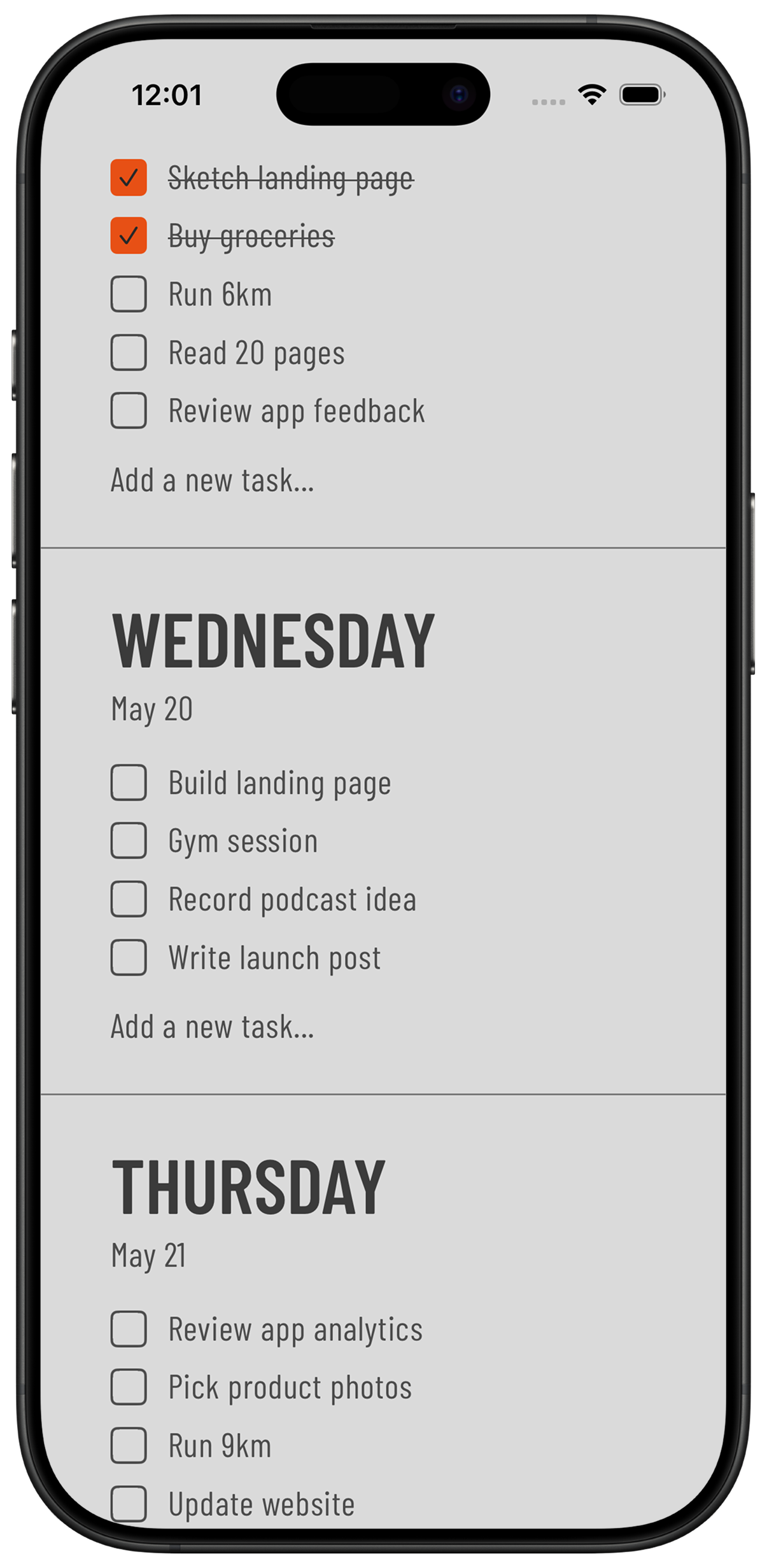
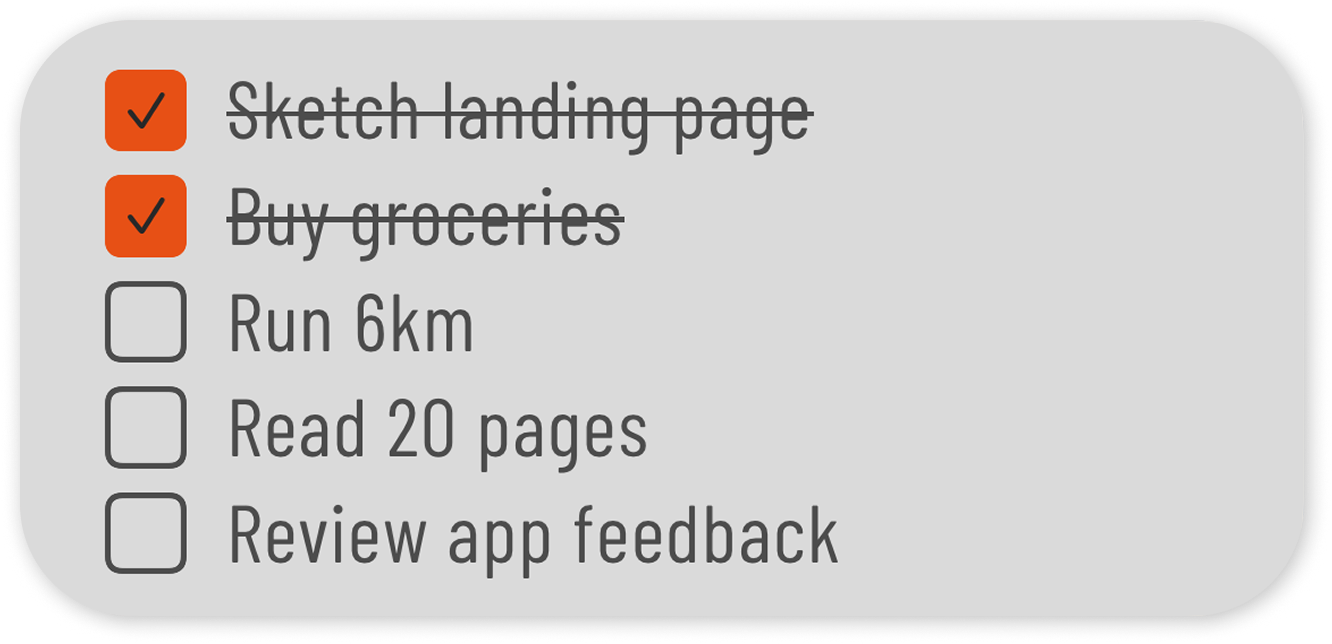
Because the whole week is visible, day theming is easy to see and easy to keep: deep-work days stay short, admin days absorb the small stuff. The Home Screen widget shows the current day's blocks without opening anything.
The weekly planner is free. Weeklane Pro ($3.99/month or $29.99/year, with a 14-day trial) adds reminders, recurring tasks, calendars and shared projects if you need them.
Common mistakes
- Over-scheduling. A 100% full day breaks on the first interruption. Leave 20–30% unblocked.
- Blocks that are too long. Anything over 90 minutes gets fragile. Split it, with a real break between.
- Blocking only deep work. Email, admin and breaks take real time. If they are not blocked, they eat the blocks that are.
- Treating the plan as a contract. The schedule will slip. Adjust at the next block boundary — do not scrap the day.
- Rebuilding the schedule from scratch daily. Start from a template and edit it. Five minutes, not twenty.
Is time blocking worth it?
Time blocking suits work where long stretches of focus matter and the day is otherwise reactive. It suits shift work, on-call work and highly interrupt-driven roles far less — there, timeboxing a single protected block per day is more realistic than blocking the whole day. Try it for one week, keep the parts that survived contact with reality, and drop the rest.
Frequently asked
What is time blocking?
Time blocking is a planning method where you divide your day into fixed blocks and assign one task to each block, so every task has a specific start and end time instead of sitting on an open-ended list.
How do I start time blocking?
List tomorrow's tasks tonight, estimate each one and round up, block the fixed commitments first, put your most important task in your best hours, leave 20–30% of the day unblocked, and roll unfinished blocks into tomorrow at the end of the day.
What is the difference between time blocking and timeboxing?
Time blocking decides when you do a task; timeboxing decides how long you are allowed to spend on it. Timeboxing sets a hard limit and ships whatever is done at the end — useful for tasks that expand to fill the time available.
What is the best time blocking app?
It depends on the approach you want. Google Calendar suits people who already plan in a calendar grid, Sunsama suits guided daily planning, and a lightweight weekly list like Weeklane suits people who want the time written into the task without maintaining a calendar.
Do I need a calendar app to time block?
No. A simple day-by-day list works fine — write the block time at the front of the task. Apps like Weeklane treat each day as its own list, which maps cleanly to time blocks without a calendar grid.
How long should a time block be?
For focused work, 60 to 90 minutes is the practical ceiling before quality drops. Shallow work like email is better batched into a 20–30 minute block once or twice a day.
Why does time blocking keep failing for me?
Almost always over-scheduling: the day is planned at 100% capacity, one thing runs long, and the rest collapses. Block 70% of the day, block your admin and breaks too, and roll over instead of rescheduling everything.
Is there a free time blocking template?
Yes — our time blocking template guide includes a copyable daily schedule, a weekly grid and a day-theming layout you can adapt in any planner or notebook.
Try time blocking in Weeklane
A clean day-by-day list on iPhone and Android, with Home Screen widgets. Free weekly planner, with a 14-day Weeklane Pro trial.


Scan to download
Related guides
- Free Time Blocking Template (Daily & Weekly) — a copyable daily and weekly time blocking template.
- Weekly Planner App: How to Plan Your Week in 5 Minutes — decide what goes into each day before you block the time.
- Ivy Lee Method: The 6-Task Daily Productivity System — pick the six tasks that matter, then block time for the top three.
- Phone Planner App: How to Plan Your Week on Your Phone — run the whole system from your phone's Home Screen.
- Best Minimalist Weekly Planner Apps (2026 Comparison) — how the minimalist weekly planners compare.
- Guides